How to Clean Headphones: A Guide for Earbuds & AirPods
Debris buildup inside a headphone isn't just unsightly. It can muffle sound at the driver and shorten the product's working life, according to Consumer Reports. Knowing how to clean headphones properly, rather than wiping them on a shirt sleeve and calling it done, is the difference between a pair that still sounds crisp in three years and one that starts sounding muddy in three months.
Apple tells AirPods owners that regular cleaning helps maintain the device, and that keeping it clean and dry prevents long-term damage (Apple Support). Consumer Reports makes a similar case from the other direction: skin oil alone can discolor plastic and rubber parts and, over enough time, break them down (Consumer Reports). John Chen, director of sales for Grado Labs, puts it bluntly: headphones are semi-consumable, and without upkeep they'll "eventually... break down from regular use" (Consumer Reports).
This guide walks through a safe cleaning routine for true wireless earbuds (including AirPods), removable ear tips, charging cases, and over-ear or on-ear cushions, built on manufacturer guidance rather than internet shortcuts. The AirPods-specific steps come from Apple directly; general earbud and over-ear advice comes from Consumer Reports and brands like Bose and Bang & Olufsen. Whatever's in hand, check its own manual first. These are baseline rules, not a substitute for brand-specific instructions.
How to clean headphones: the safe routine for any model
Video of the Day
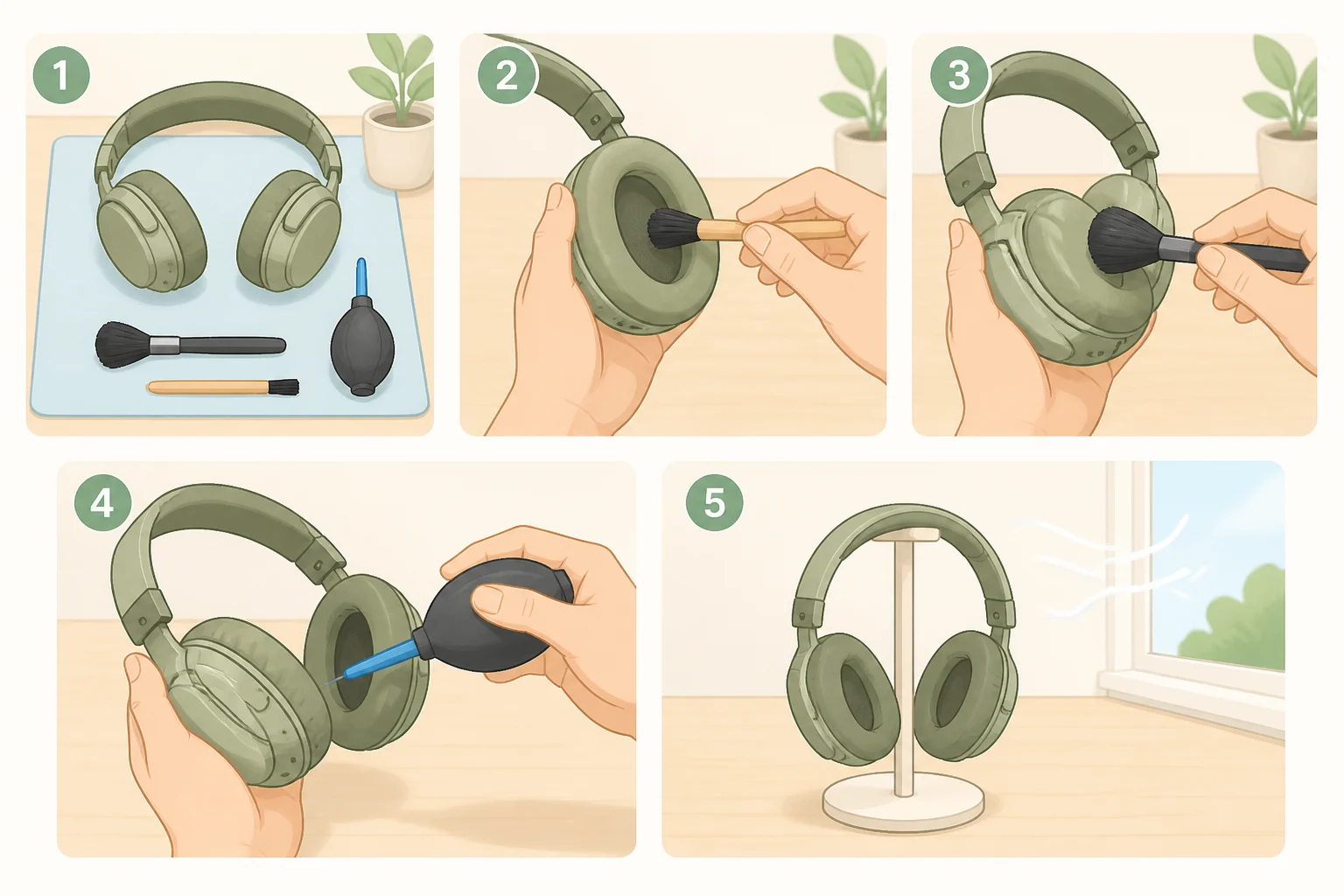
Nearly every cleaning method, regardless of brand, follows the same shape. Power everything down first: unplug wired headphones and switch off any battery-powered pair before touching them (Consumer Reports). From there, work through five steps.
- Wipe the exterior with a dry cloth, or one barely dampened with water. Keep moisture on the surface only, and treat even "water-resistant" models as tolerant of no more than a slight dampness (Consumer Reports).
- Dry-brush any exposed mesh, grille, or port to loosen surface debris before it gets pushed deeper in.
- Remove ear tips or pads if they detach, and clean them separately rather than scrubbing them in place.
- Let everything air-dry completely. For AirPods specifically, Apple specifies at least two hours before they go back in the case or get used again (Apple Support), a timeline worth remembering since it applies to nearly every wet-cleaning step in this guide.
- Recharge only once every part is fully dry.
What's allowed beyond that depends on material. Plastic, rubber, and silicone can take alcohol occasionally, as long as it's dried off carefully afterward. Foam and wood should never touch alcohol at all. Synthetic leather tolerates a water-damp cloth and nothing stronger, while genuine leather needs a dedicated leather cleaner (Consumer Reports).
Check the model's own manual before improvising past that. Apple, Bose, and Bang & Olufsen each sanction different methods for their own materials and designs, and the sections below cover where those diverge.
Video of the Day
How to clean earbuds and wireless headphones
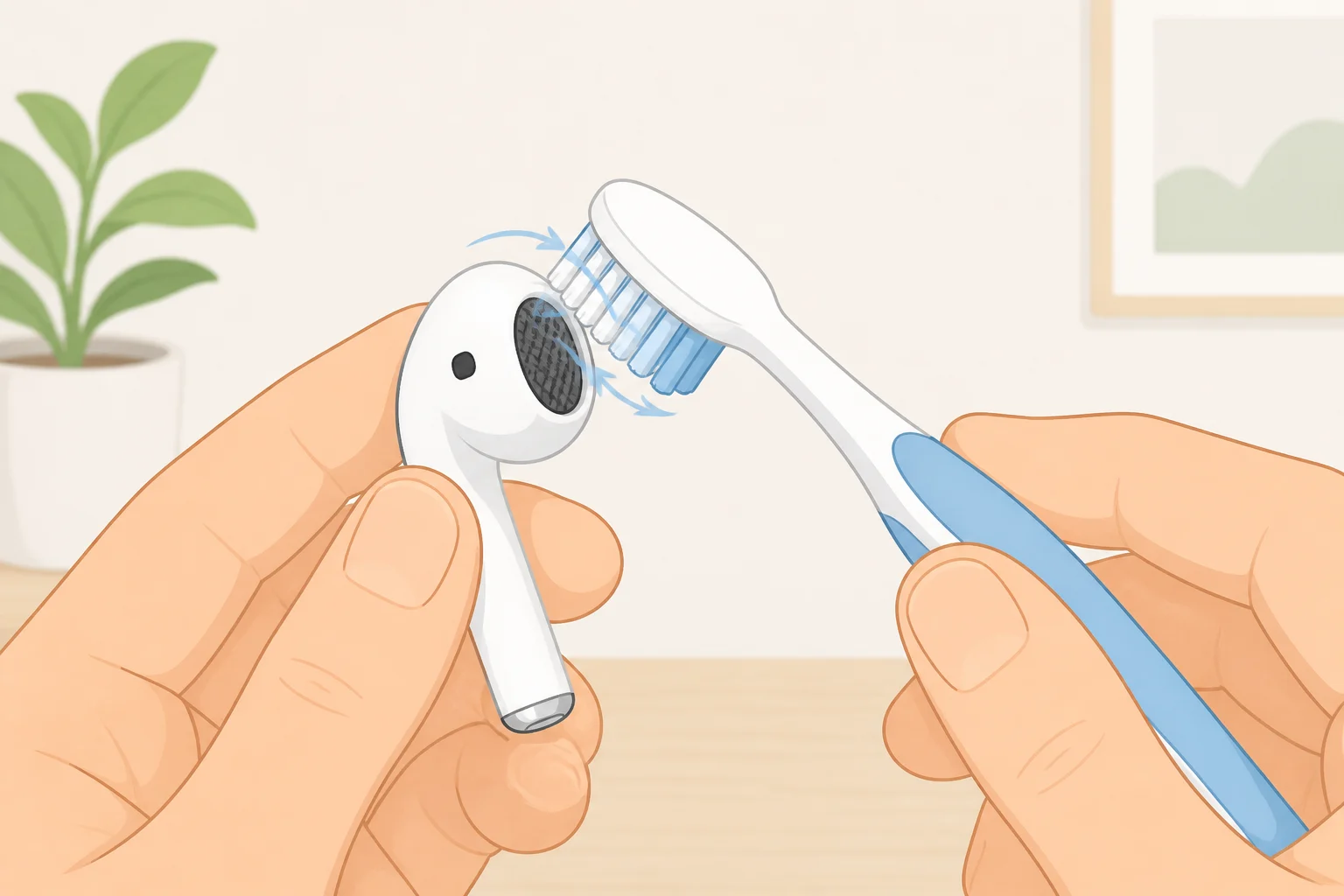
Start dry. Consumer Reports recommends a clean toothbrush to loosen debris caught in an earbud's screen, brushing gently enough that wax doesn't get pushed deeper into the mesh (Consumer Reports).
For AirPods specifically, Apple's routine for everyday grime, sweat, sunscreen, lotion exposure, is simpler than it sounds: wipe with a cloth slightly dampened with fresh water, then dry fully with a separate lint-free cloth (Apple Support).
Not every earbud has a protective screen to begin with. Some in-ear models are just an open cylinder leading straight into the ear canal. Consumer Reports' advice there is to proceed delicately and avoid contact with the inner workings, which damage easily (Consumer Reports).
Sweat and water resistance ratings also vary by AirPods model, from IPX4 up to IP57, and all of them cover workouts and splashes rather than swimming or showering. That resistance fades with time, too, and there's no way to recheck or reseal it once it's gone (Apple Support).
How to remove earwax from headphone mesh
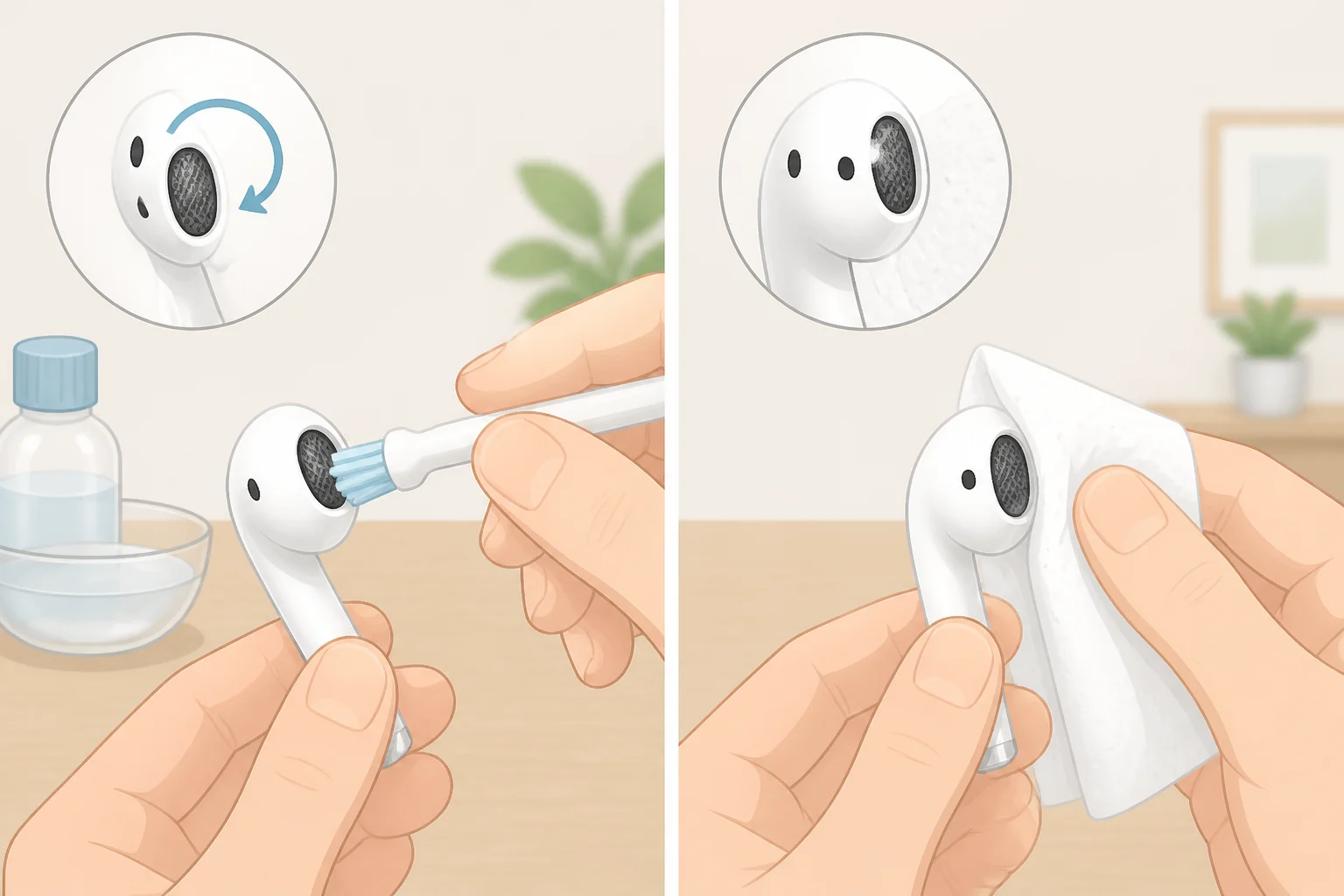
Only a handful of Apple models have an approved wet-cleaning method for earwax on the mesh: AirPods 3, AirPods 4, AirPods 5, AirPods Pro 2, and AirPods Pro 3. Apple publishes this specific technique for the encircled mesh on those models only, explicitly warns against applying it anywhere else, and doesn't offer it as general advice for other earbuds (Apple Support; Apple Support).
- Dip a soft-bristled children's toothbrush in micellar water containing PEG-6 Caprylic/Capric Glycerides, the kind sold by Bioderma or Neutrogena (Apple Support).
- Hold the AirPod with the mesh facing up and brush in circles for about 15 seconds.
- Blot the mesh on a paper towel, then repeat the brush-and-blot sequence two more times, for three passes total (Apple Support).
- Rinse the brush itself, not the AirPod, with distilled water, then run through the same three-pass sequence again using distilled water in place of micellar water (Apple Support).
- Let the AirPods dry completely for at least two hours before using them or putting them back in the case.
For every other earbud or headphone, dry brushing is still the first move. If wax is stubborn, Bose, a separate manufacturer whose advice isn't a universal standard, recommends a 3 percent hydrogen peroxide solution applied sparingly with a cotton swab and wiped off quickly. Consumer Reports notes that even at that low concentration, peroxide can still bleach or discolor some materials (Consumer Reports).
If dry brushing and a light wipe don't clear a muffled sound, stop there rather than reaching for something stronger. Apple's own guidance is direct on this: if cleaning doesn't resolve the issue, the next step is getting service (Apple Support).
How to clean AirPods and their charging case
AirPods Pro ear tips come off entirely for cleaning. Pull them off, rinse with plain water only, no soap or other household cleaners, and let them dry completely before clicking them back on, lining up the oval shape correctly (Apple Support).
The same alcohol rule from the universal routine applies to tips: fine for rubber and silicone, but foam won't survive it. Use alcohol sparingly on compatible materials and wipe it off immediately (Consumer Reports). A foam tip that's visibly degraded after a cleaning attempt should just be replaced rather than washed again.
Clean the case only after the earbuds and their tips are completely dry. Treating it as a separate pass keeps moisture away from parts that are still drying out. Wipe the exterior with a soft, dry, lint-free cloth, dampening it slightly with isopropyl alcohol only if needed, then let the case dry fully before closing it (Apple Support).
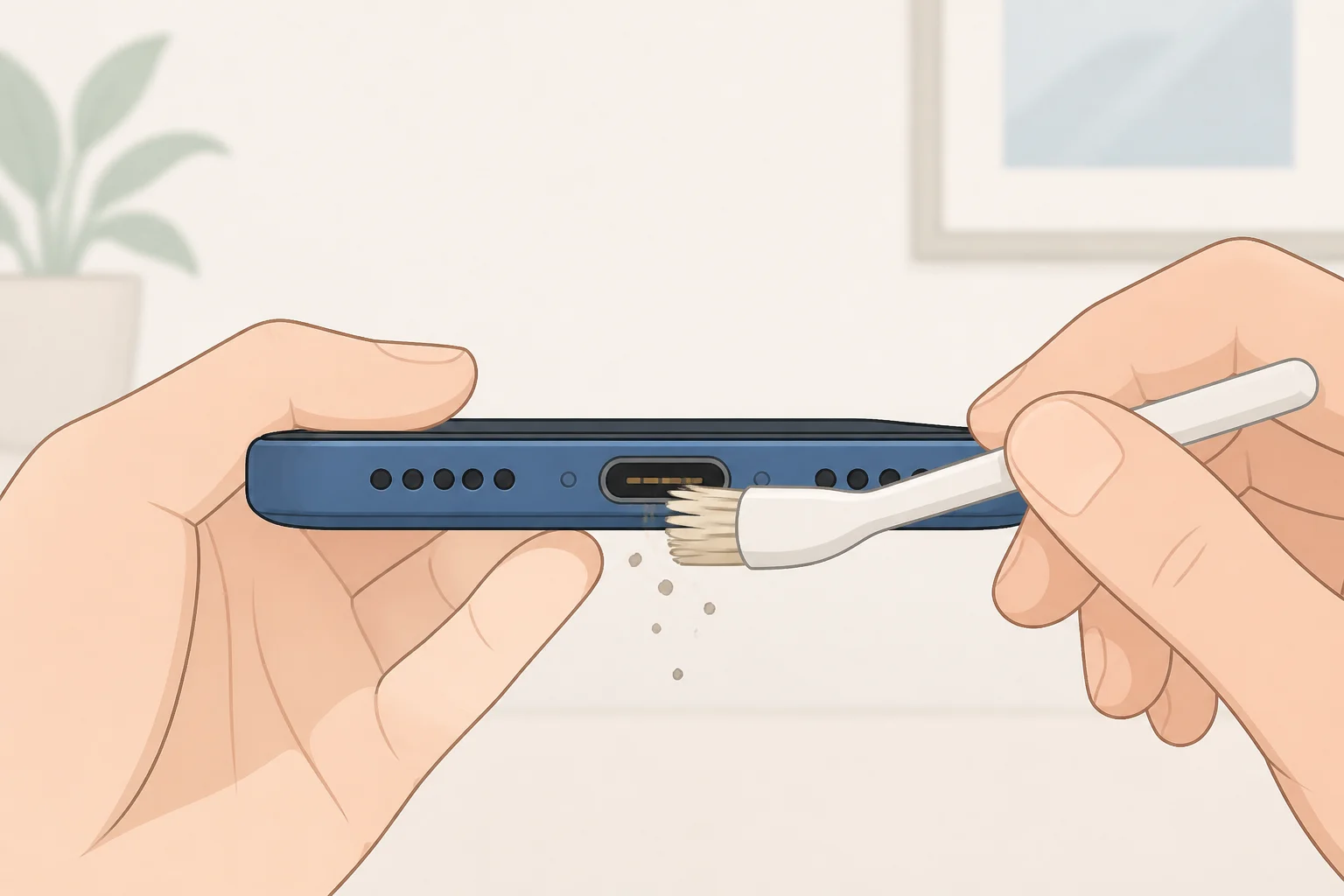
Clear any debris from the charging port with a dry, soft-bristled brush and nothing else. Apple is specific about why: putting anything else in the port risks damaging the metal contacts (Apple Support).
Timing matters after a sweaty workout, too. Apple advises wiping AirPods down with a dry cloth any time they've been exposed to heavy sweat or splashes, before they go back in the case (Apple Support).
How to clean headphone ear pads
Over-ear and on-ear headphones generally collect less grime than earbuds do, but Consumer Reports still recommends cleaning them regularly (Consumer Reports).
Housings made of plastic, rubber, or silicone can handle occasional alcohol, provided they're dried off carefully afterward. Foam and wood parts should never touch it at all (Consumer Reports).
Synthetic or protein-based leather, common on many on-ear and over-ear pads, is more fragile than it looks. Limit cleaning to a gentle, water-dampened cloth. Genuine leather, used on pads from brands like Bang & Olufsen, calls for a dedicated leather cleaner applied with a soft cloth, not water or alcohol (Consumer Reports).
Many pads detach for easier cleaning. Where that's an option, follow the model's own manual for removal, then apply the material rules above rather than scrubbing the pads while they're still attached.
What to avoid, and when to get help
Aside from a handful of models actually built for swimming, "water-resistant" means tolerant of sweat or rain, not a dunking. Never submerge headphones (Consumer Reports).
Skip heat and compressed air when drying wet AirPods; Apple warns against both (Apple Support).
Keep soap, shampoo, sunscreen, and similar products off earbuds entirely. Apple notes they can degrade water seals and acoustic membranes, and recommends cleaning immediately if contact happens (Apple Support).
If muffled sound, charging failures, or visible residue persist after working through these steps, stop the DIY cleaning. Apple's guidance at that point is to get service, not keep scrubbing (Apple Support).
There's a hygiene case for staying on top of all this, too, though a modest one. Consumer Reports points to research linking prolonged earbud use with increased bacterial growth and irritation, and says cleaning may help mitigate that risk; it's a reasonable incentive to stay on schedule, not a guarantee of anything (Consumer Reports). Chen's baseline recommendation is once a month (Consumer Reports).
Water resistance fades over time and can't be rechecked or resealed once it's gone (Apple Support), which is really the larger point here. A spec sheet only protects a product for so long. A cleaning habit built around each model's own rules, rather than a one-size-fits-all shortcut, is what actually keeps the thing working.