Why is my robot vacuum missing spots? Full fix guide
A robot vacuum that skips the same corner week after week is trying to tell you something. Why is your robot vacuum missing spots? Usually for one of two very different reasons: either it never reaches that patch of floor, or it drives right over it without lifting anything up. Confusing the two is a common troubleshooting mistake, one that sends people remapping an entire house when the actual problem was a clogged brush roll, or clearing a bin when the real issue was a no-go zone left over from before the couch moved.
The Good Housekeeping Institute logged nearly 300 hours testing nearly 20 robot vacuums in controlled conditions, collecting more than 400 data points on performance, navigation, and coverage, in testing published yesterday. That work supports treating a missed spot as a problem with several possible causes rather than one single defect, since a robot that never reaches an area is failing for entirely different reasons than one that reaches it and cleans poorly.
This guide walks through both paths, starting with the one test that tells you which applies.
Step one: figure out which failure you're dealing with
Video of the Day
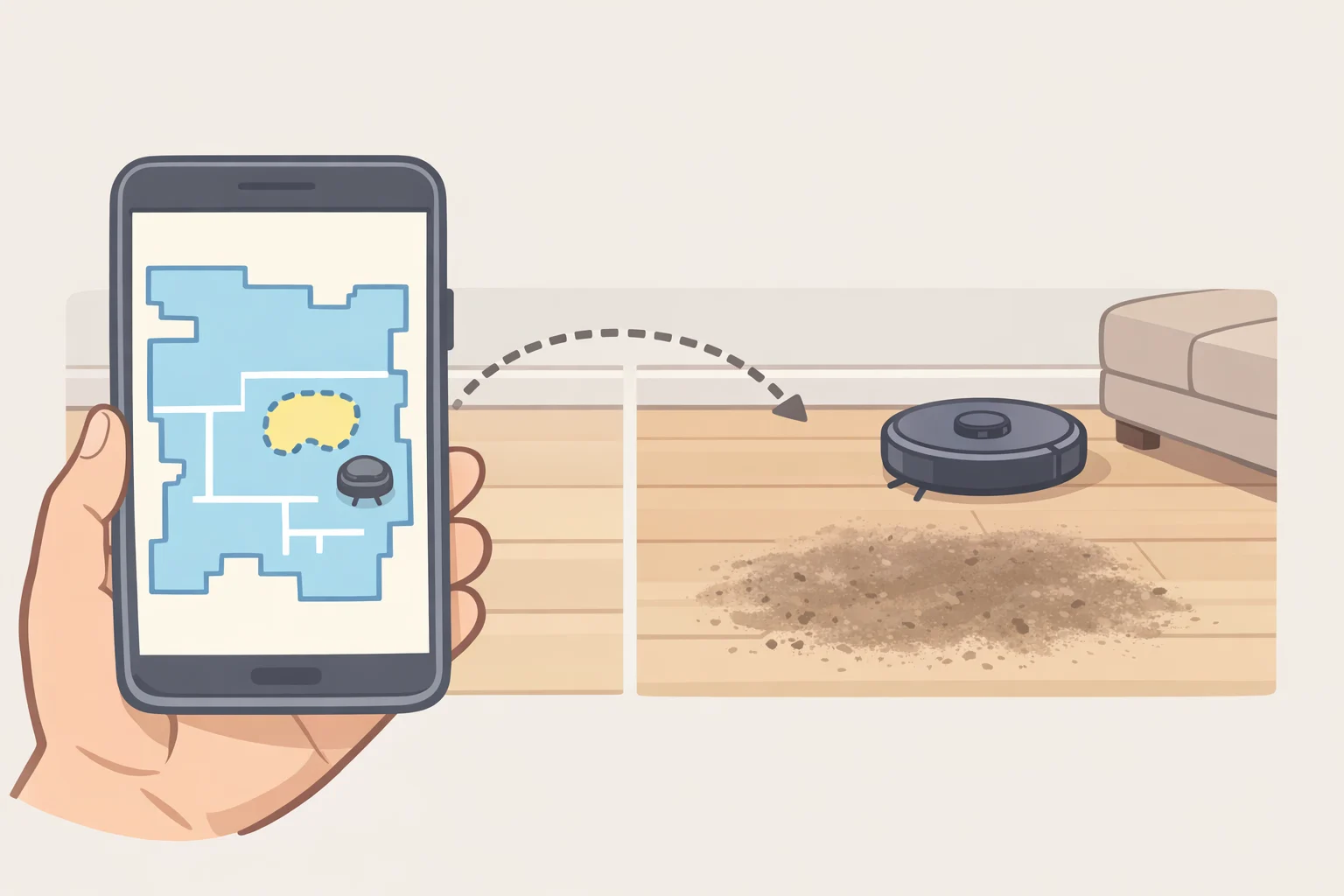
Open the app and compare the cleaned-area map against where the mess actually is, assuming the model uses mapping navigation. If the map marks that patch of floor as cleaned but it's visibly not, skip down to the pickup and maintenance checks. If the map shows a gap, or the robot is a bump-and-go model with no map to check, treat it as a coverage problem instead.
The reason the diagnostic tools differ by model is structural. Mapping systems built on LiDAR or 3D obstacle recognition build a floor plan and track which areas the robot has already cleaned. Bump-and-go models move more randomly, changing direction only when they hit something, so there may be no cleaned-area map to consult in the first place (Good Housekeeping).
A manual spot clean on the problem area is a useful secondary check. If the robot enters and cleans it under those conditions, that suggests the space is physically reachable, though it doesn't explain why a full scheduled run skipped it. That gap between a spot clean and a whole-home run usually involves the map, a zone, clearance, or battery behavior, which is what the next section works through.
Video of the Day
Robot vacuum not covering the entire floor? Check these navigation problems
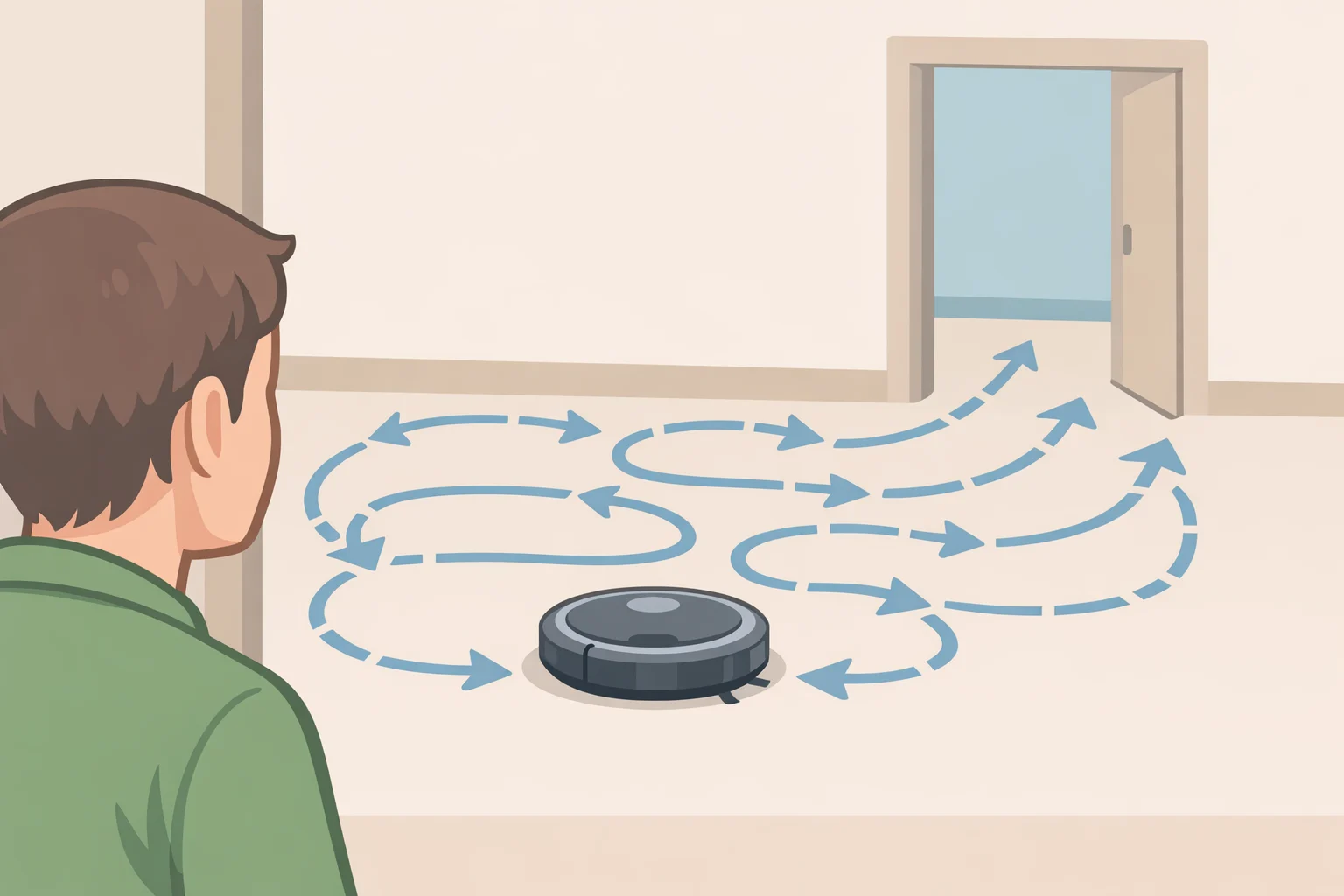
Two situations deserve a closer look before running through the standard checks, because they're easy to misdiagnose.
No cleaned-area map to check. Bump-and-go models change direction when they hit something rather than building a floor plan, so there's typically nothing to inspect on screen (Good Housekeeping). That's a design limitation, not a fault, but it means diagnosis has to happen by watching. Time a full cleaning cycle and note whether the robot ever crosses into the room, how long it stays, and from which direction it approaches. If it never enters during a normal run, treat it as a coverage problem and test the doorway's width and any furniture blocking it. If it enters but skips a patch inside the room, pickup is the more likely culprit, covered below.
One room skipped, others clean. When a single room gets missed while the rest of the home is fine, the likely suspects are a no-go zone still active from before furniture moved, a physical obstruction at the doorway, or that room falling last in the route on a run where the battery gives out first (Good Housekeeping). A quick way to isolate the cause: run a spot or zone clean directly in that room before running the full-home cycle. If it cleans fine on a dedicated run but gets skipped during the full cycle, route order or battery behavior is more likely than a zone or access problem. If it struggles to enter even on a dedicated run, check zones and clearance first.
With those two ruled in or out, work through the following checks in whatever order is fastest to test.
A saved map can go out of date the moment furniture is moved, added, or removed (Good Housekeeping). Compare the app's floor plan against the actual room, and if the layout doesn't match, trigger a remap; most apps allow one. A map that now matches the room, followed by a robot that reaches the spot, tells you the old map was contributing to the problem.
Many robot vacuum apps let owners set virtual walls or no-go zones, and it's easy to forget one exists after rearranging furniture (Good Housekeeping). An oversized or outdated zone can quietly block real floor space. Resize or delete it, then re-run the clean; a room that gets cleaned after the edit confirms the zone was the culprit.
Tight clearance or reflective surfaces.
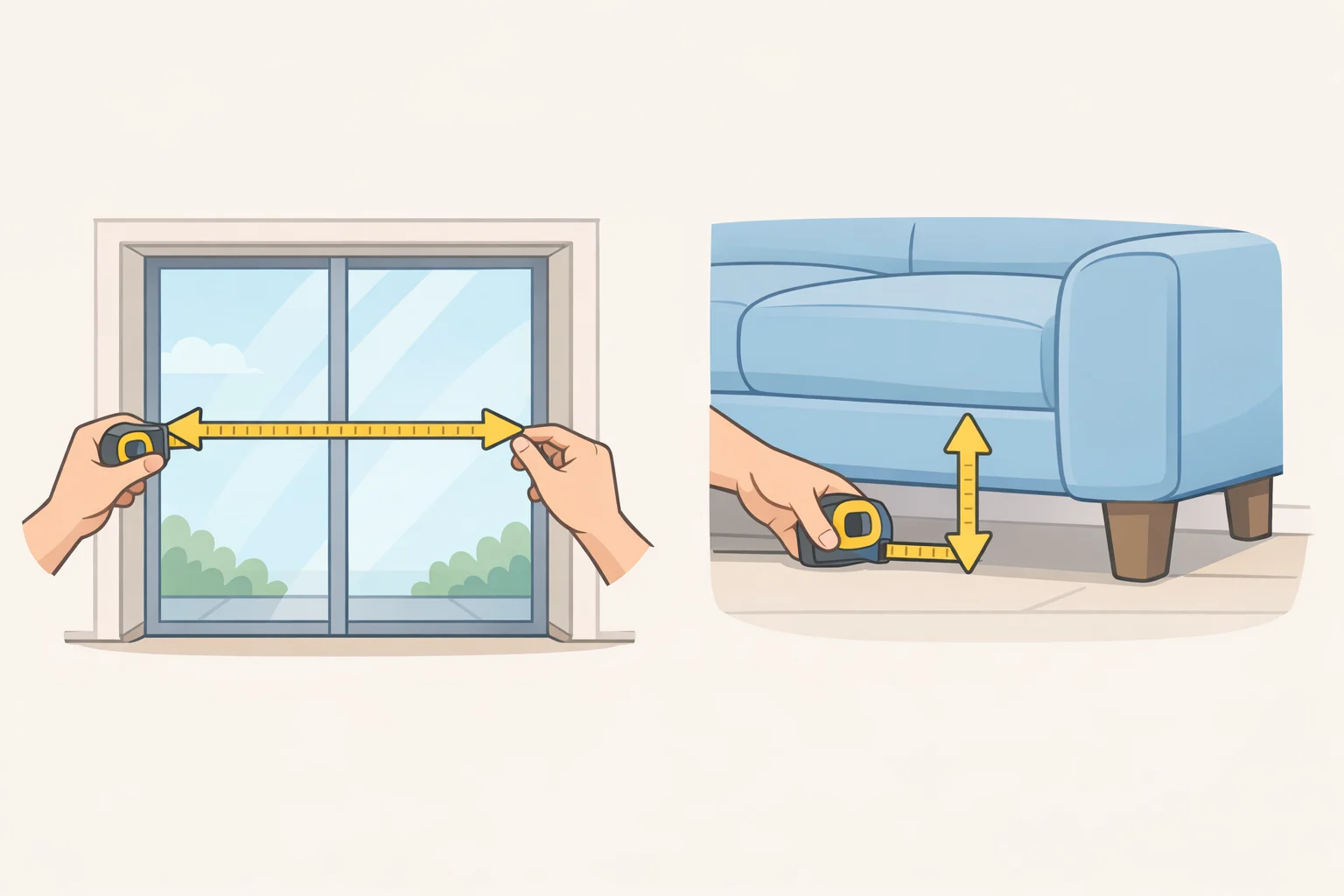
Measure the width of the passage leading to the missed area. In testing, most robot vacuums need roughly 15 inches of clear width to move through a passage reliably, and glass doors, mirrors, or other reflective surfaces can sometimes interfere with navigation systems that lean heavily on LiDAR (Good Housekeeping). Consumer Reports lists a 12.5-inch diameter and a 3-inch under-furniture clearance for the Eufy C10 T2292, reviewed last year, which shows why passage width and under-furniture clearance are two separate measurements worth checking against a model's own specs. Widen the passage where possible, and rule out a mirror or glass door before assuming something else is wrong.
Battery and recharge behavior. Check whether the model supports recharge-and-resume, which lets a robot remember where it stopped, return to the dock, and continue from that exact point once charged. Robots without that feature typically return to the dock on low battery and restart the entire cycle from the beginning once recharged (Good Housekeeping). Check whether the model supports the feature at all and whether the manufacturer requires a particular cleaning mode for it to kick in. A room that only gets skipped on longer runs, not shorter ones, makes battery or route behavior more likely than a zone or map issue.
None of these checks require opening the robot itself, which is why they're worth working through before assuming anything is broken.
It reaches the spot but leaves debris behind
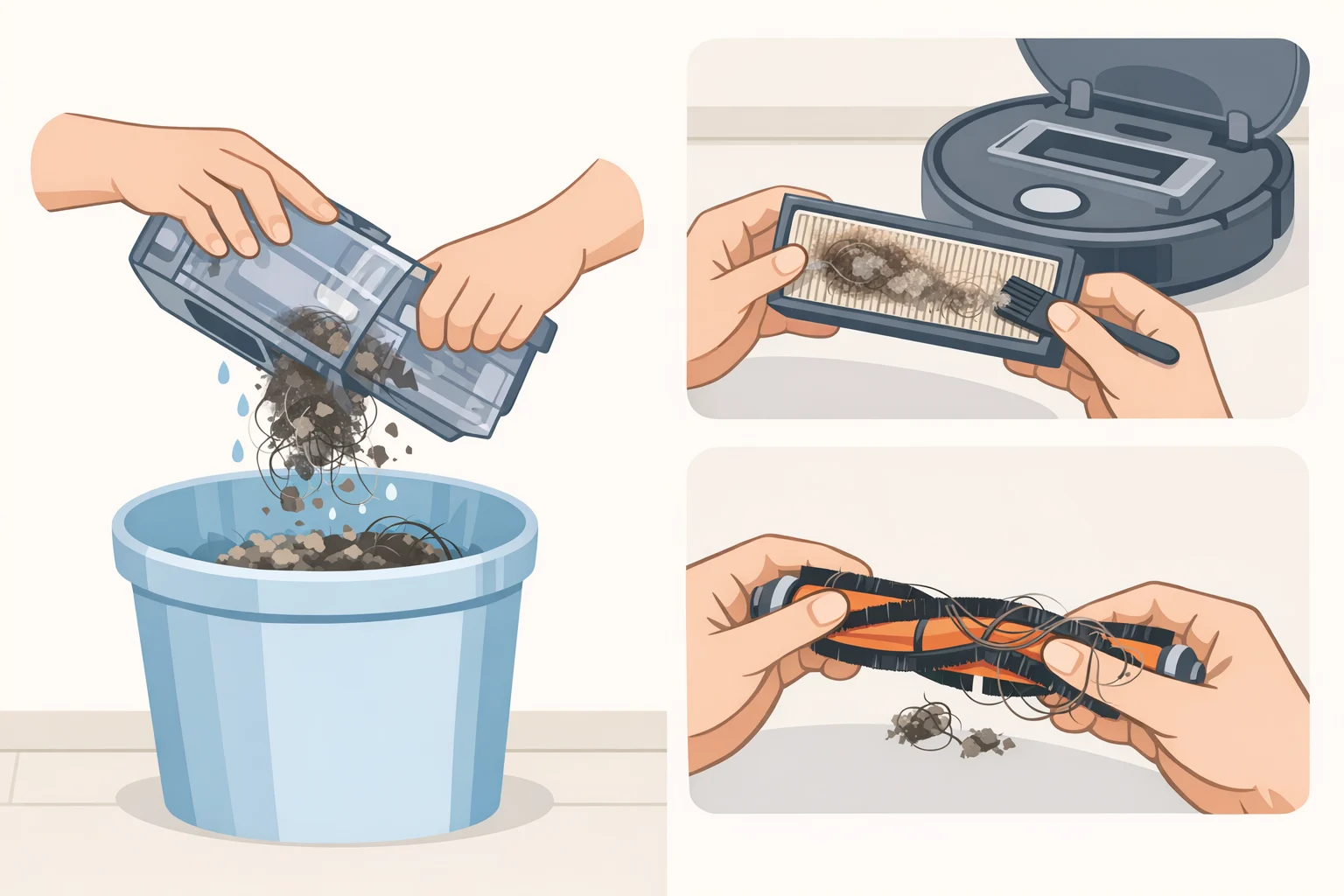
If the access checks come back clean, the robot is getting there. Something in how it cleans once it arrives is falling short, and the fundamentals are worth ruling out first.
Check the model's manual for whether it flags a full bin, a clogged filter, or a brush roll wound with hair as a pickup issue for that specific unit, since maintenance intervals and accessible parts vary by brand. Clear the bin, check the filter, and remove any tangled hair from the brush roll, then re-run the clean on the exact spot. Improvement suggests maintenance was contributing, though it doesn't rule out debris type as a separate factor.
If cleaning the machine doesn't help, the debris itself may be the limiting factor. Edge and corner debris often behaves differently from open-floor debris, since most robots have structural limits on how close the brush gets to a wall. A robot may leave a narrow, persistent strip along a baseboard for that reason alone; check the manufacturer's specifications for that model's edge-cleaning reach before assuming something's malfunctioning.
Surface litter and embedded dirt are different problems too. Consumer Reports tests robot vacuums against loose material like cereal, rice, and peas on one hand, and dirt worked deep into carpet fibers on the other (Consumer Reports, tested last year). A result on loose debris doesn't automatically predict how a model handles embedded dirt. A model with spot or zone cleaning may let a reader target loose debris directly (Good Housekeeping); check the manufacturer's instructions for running one. Deeply embedded carpet dirt is the kind of cleaning where Consumer Reports says upright and canister vacuums perform better.
There's a real ceiling here. Consumer Reports advises that homes with more carpet than bare floor shouldn't rely on a robot vacuum as the primary cleaning tool, since upright and canister vacuums test better for deep cleaning; a robovac works best as a backup that keeps carpets looking presentable between deeper cleans (Consumer Reports).
When to stop troubleshooting and call support
Contact the manufacturer if the same area remains inaccessible after remapping, adjusting zones, confirming clearance, and checking recharge behavior, or if the robot reports an error code or behaves inconsistently during a direct, supervised test run.
Before reaching out, gather a current screenshot of the cleaned-area map, any error code the app or robot has shown, a short log of when the spot gets missed, and a photo of the problem area. That documentation saves repeating troubleshooting that's already been done and gives the support team a clearer starting point, whether the cause turns out to be a sensor issue, a mapping glitch, or something else worth investigating directly. It's also worth checking the manufacturer's support site for known issues tied to the specific model before assuming the problem is unique to one home.
Where this leaves you
Three outcomes cover most cases:
- Map omits the area: remap, check no-go zones, and confirm clearance.
- Map includes the area but the spot is dirty: clear the bin, filter, and brush, then check whether it's an edge issue, surface litter, or embedded dirt.
- Problem persists after both sets of checks: document the failure and contact the manufacturer rather than continuing to guess.
Most of the checks above involve adjustable settings or room conditions, which is why they're worth trying before assuming anything is broken. Reach for a traditional upright or canister only once the debris has been identified as embedded or edge-related carpet dirt, not a settings problem still hiding somewhere in the app.