Red Light on a Power Strip: What It Means and When to Act
Red lights in the home usually signal trouble. A tripped breaker, a smoke alarm running low on battery, a dishwasher stuck mid-cycle. The red light on a surge-protecting power strip is the rare exception: on most units, it means the surge protection is active and working. But knowing what the red light on a power strip means only matters once you've confirmed the device is actually a surge protector and that distinction determines everything that follows.
A strip can also keep supplying power long after its protection components have quietly failed. A working indicator says nothing about whether the strip is being used safely. Both problems are worth understanding before trusting any light.
Step one: figure out what you actually own
Video of the Day
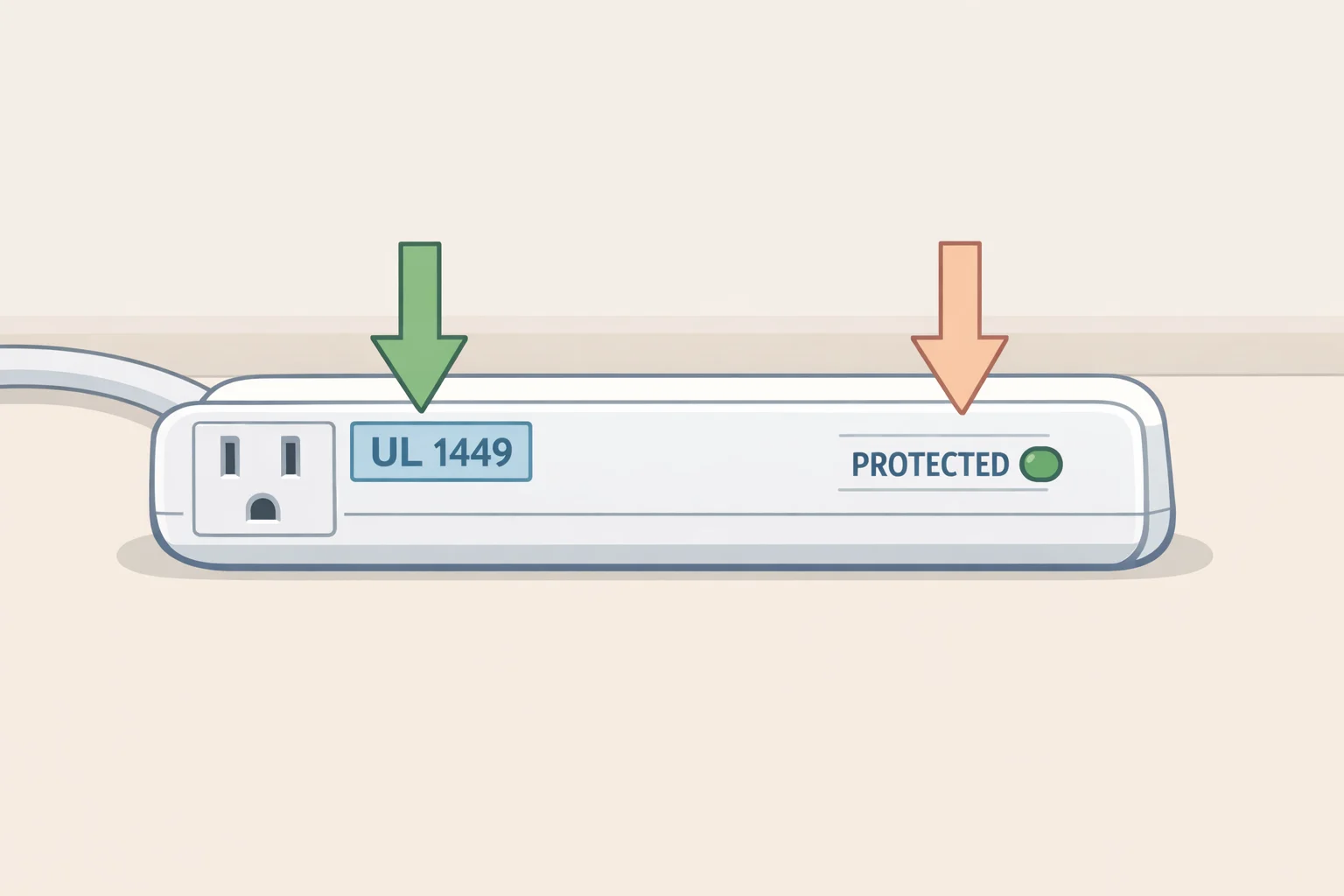
A basic power strip multiplies available outlets and nothing else. It may have an on/off switch, a power indicator, or even a resettable circuit breaker none of those features limit voltage spikes or shield electronics from transient overvoltages. The circuit breaker, if present, protects only the strip's internal wiring from overload, not the laptop or TV plugged into it. No surge-suppression components, no compliance with UL 1449, the North American standard for surge protective devices (VIOX, last December).
A surge protector adds suppression components to that basic design. The workhorse in most consumer units is metal-oxide varistors, or MOVs ceramic semiconductors that sit dormant until voltage exceeds a safe threshold, then conduct to clamp the spike and divert excess energy away from connected equipment. Think of an MOV as a pressure-relief valve that only opens when the pressure spikes. Under the right conditions, a properly functioning surge protector can help shield sensitive electronics and may help prevent electrical fires, according to Wirecutter.
To confirm which device is in the outlet, check the housing and packaging for:
- A status indicator labeled "PROTECTED" or "PROTECTION" not just a power light
- A UL 1449 certification on the label or in the manual
- Explicit "surge protector" or "surge protective device" language from the manufacturer
If none of those are present, treat the device as a plain power strip. Any lights it carries say nothing about surge protection.
Video of the Day
What does the red light on a power strip mean on a surge protector?
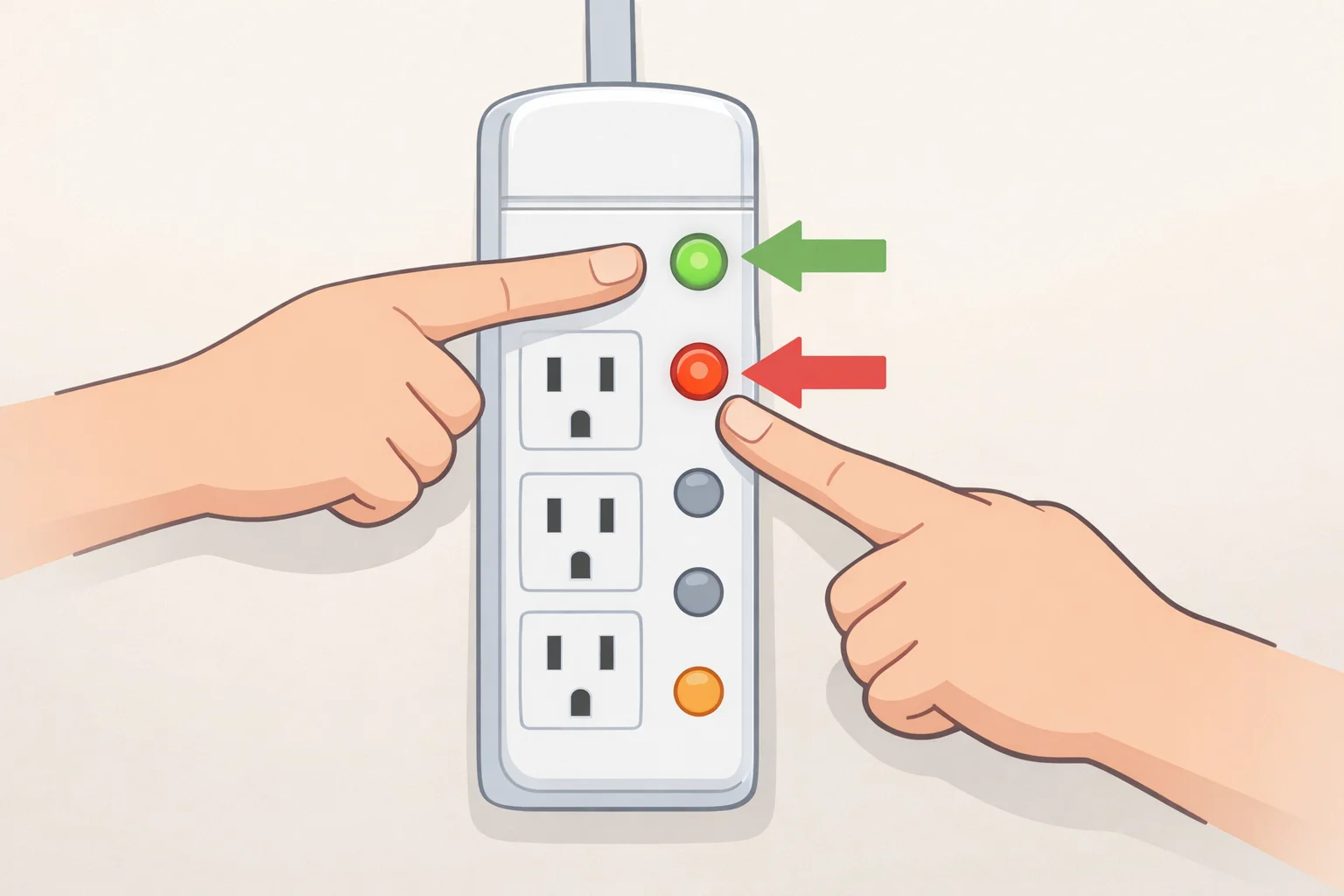
Red usually signals a problem. On a surge protector, it often signals the opposite.
On a unit with a status indicator, the "PROTECTED" light being on means the MOVs and other suppression components are intact and the device is doing its job. Home improvement expert Dan DiClerico put it plainly: "In the case of the surge protector, the red light means all is well," per Good Housekeeping this week. Read the label next to the light, not the color. A lit "PROTECTED" indicator is good news. A lit "WIRING FAULT" indicator is a separate problem entirely.
Some surge protectors carry multiple indicators. A "PROTECTED" or "PROTECTION WORKING" light refers specifically to surge-component status. Separate "Grounded," "Wiring Fault," or "Site Wiring Fault" lights point to problems with the outlet itself its grounding or wiring rather than the strip. If the "PROTECTED" indicator is on but a "WIRING FAULT" indicator is also lit, the strip's components are likely fine; the outlet may be the issue, as ElectricalTroubleshooter noted earlier this year.
Not all status lights work the same way, and that's worth knowing. Some manufacturers build true diagnostic indicators that actively monitor MOV integrity and go dark when components fail. Others include only a power-on light that stays lit regardless of whether any protection remains. Because these can look identical from the outside, trust the label and consult the manual. If the strip's only light is labeled "POWER" or has no label at all, treat it as a power indicator and nothing more.
Quick diagnostic reference:
- "PROTECTED" indicator lit: surge components intact, protection active
- "PROTECTED" indicator off, outlets still work: surge components likely failed; replace the unit
- "PROTECTED" on and "WIRING FAULT" on: try a different outlet; if the fault follows the strip across multiple outlets, call an electrician
- "GROUNDED" indicator off: outlet may be ungrounded or miswired; use a different outlet and schedule an electrical check (ElectricalTroubleshooter, earlier this year)
When surge protection fails silently
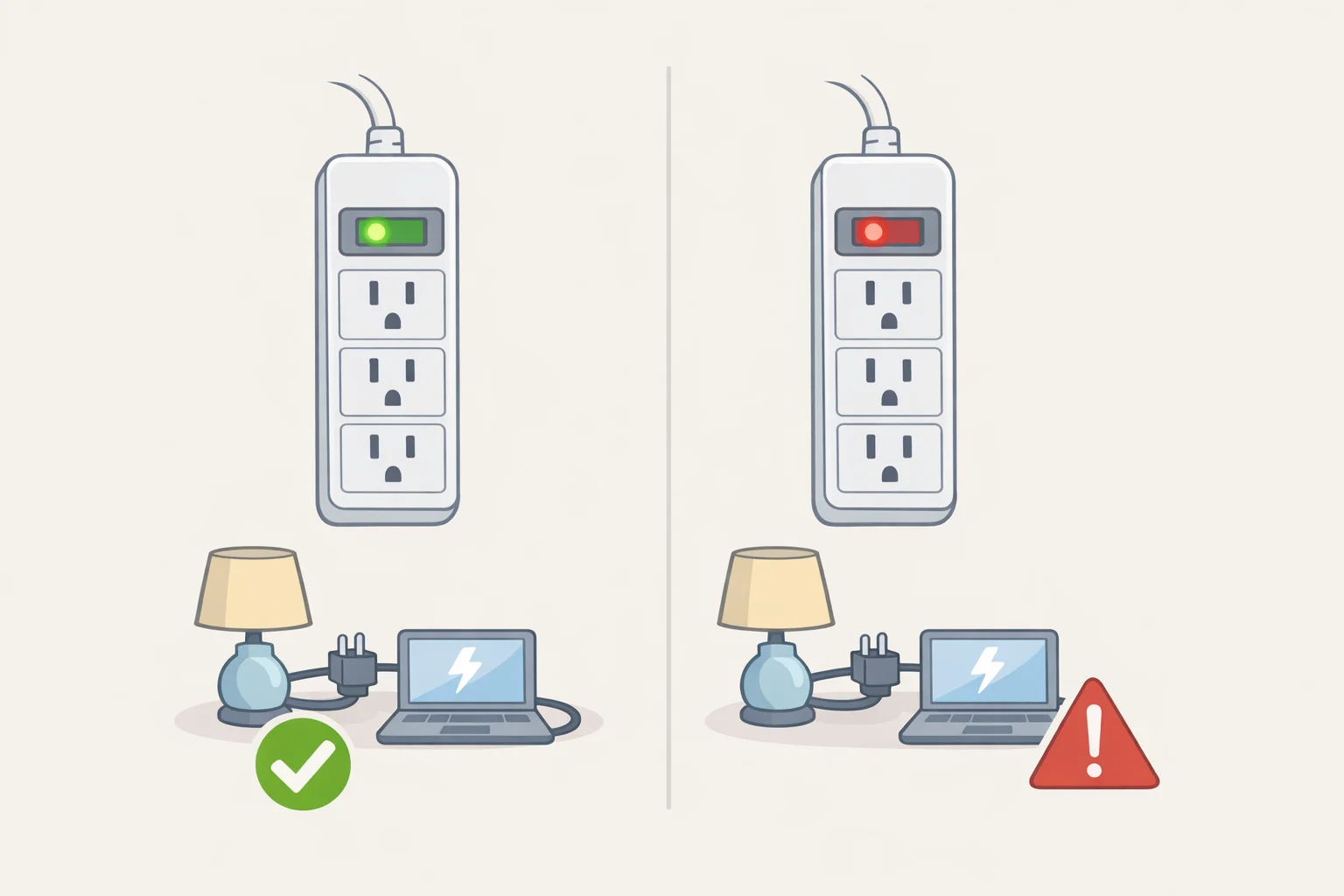
The failure mode most people miss is also the most consequential. A surge protector can stop protecting your devices while continuing to power them normally.
Each time an MOV absorbs a voltage spike, it suffers microscopic material degradation. Small surges accumulate gradually; a nearby lightning strike or significant utility fault can exhaust a unit's protection capacity in a single event. Once the MOVs fail, the outlets work and the device hums along but the surge protection is gone. It has become, functionally, a plain power strip (VIOX). On units with a true diagnostic LED, the "PROTECTED" indicator going dark is the signal. On units without one, there is no visible warning.
Some manuals state explicitly that if the "PROTECTED" light will not illuminate, the internal surge components are no longer functioning and the unit should be replaced not kept in service for sensitive electronics (ElectricalTroubleshooter). Opening the housing to inspect or repair is not an option; most units have no user-serviceable parts, and doing so is unsafe.
When to replace. The industry rule of thumb is three to five years under normal conditions, or immediately after a known major surge event a nearby lightning strike, outlets briefly cutting out during a storm (VIOX). That range exists because surge exposure varies; a unit in a lightning-prone area absorbs far more than one on a stable urban grid (ElectricalTroubleshooter). Treat it as a prompt to check rather than a hard expiration date it's industry guidance, not a fixed standard from UL.
Replace regardless of indicator status if any of these appear: burn marks or melted plastic near outlets, intermittent power loss from outlets, or breakers tripping and lights flickering on the same circuit.
The grounded-outlet requirement. Many manufacturers instruct users to plug surge protectors directly into a grounded three-wire outlet and not to use two-wire adapters (ElectricalTroubleshooter). If a "GROUNDED" indicator is off or a grounding fault is flagged, move to a known-good outlet before trusting any protection-status reading. A wiring fault that appears across multiple outlets in different rooms points to a home-wiring problem requiring an electrician.
For computers, TVs, and network equipment, use a confirmed surge protector and check its indicator after any significant power event. For lamps or basic phone chargers, a plain strip is often sufficient; the risk calculus is different for a device that costs as much as a good laptop (ElectricalTroubleshooter).
What a working "protected" light doesn't cover
A functioning surge indicator is not a blanket safety clearance. Overloading a strip is one of the most common causes of strip-related fires, and surge protection does nothing to prevent it.
Never plug in anything that generates significant heat. Space heaters, hair dryers, toaster ovens, air fryers, coffee makers, irons all of them draw far more current than a strip is rated to handle continuously, and that sustained draw is a fire risk independent of any voltage spike. DiClerico is direct about it in Good Housekeeping: "The biggest mistake we see is people plugging high-wattage electronics into a power strip." His rule is simple: anything that gets hot when it runs goes directly into a wall outlet. The Electrical Safety Foundation International specifically cautions against running space heaters from strips or extension cords, warning that doing so can cause them to overheat and ignite a warning fire-safety groups repeat every winter.
Daisy-chaining plugging one strip into another multiplies the overload risk and is unsafe regardless of what either device's indicators show (Good Housekeeping; VIOX). One strip per wall outlet, plugged directly into the wall.
Most consumer strips carry a 15-amp, roughly 1,800-watt load limit (VIOX). A laptop, monitor, desk lamp, and phone charger will typically stay well within that. A single space heater running at full draw can consume nearly that entire capacity on its own.
What to do next
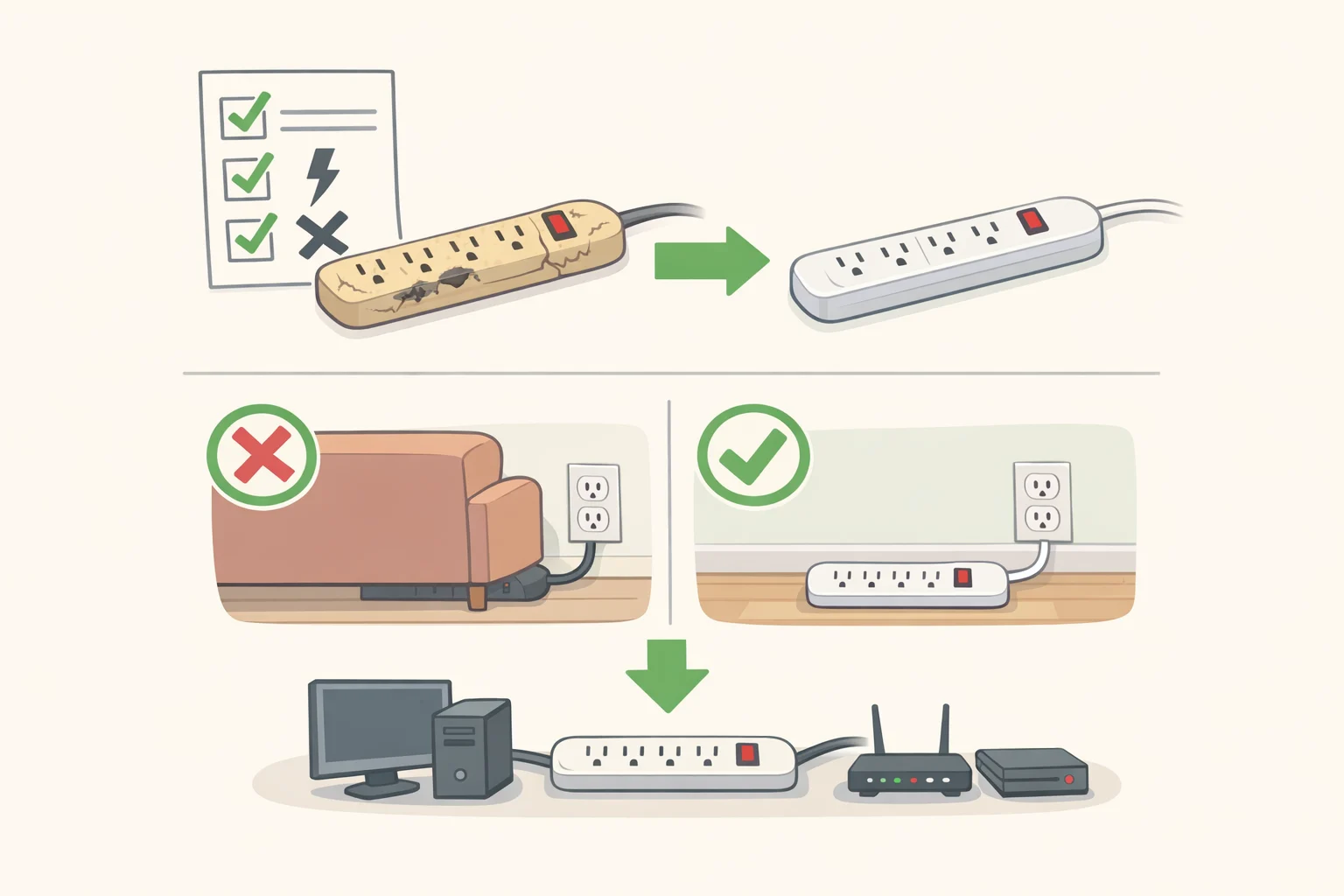
Five checks worth making before closing this tab:
- Find the label next to the indicator light "PROTECTED" means something specific; an unlabeled power light does not
- Confirm the device is a surge protector: look for UL 1449 certification or explicit "surge protector" language from the manufacturer
- Replace it if the "PROTECTED" light is off, the unit is more than five years old, or it survived a major surge event
- Plug it into a grounded three-wire outlet no two-wire adapters
- Move all heat-generating appliances to wall outlets
For households in lightning-prone areas or anyone running high-value electronics, the next level of protection is a whole-home SPD installed at the electrical panel, which intercepts larger surges before they reach any point-of-use strip. For equipment that cannot tolerate any power interruption a home workstation, a NAS drive a UPS (uninterruptible power supply) adds battery backup on top of surge protection, per VIOX. Both are separate decisions from the strip question. Start here: read the label, verify what you own, and replace anything past its useful life that's standing between a voltage spike and hardware worth protecting.