Things You'll Need
Balloon
Mylar Sheets
Balloon printing frame
Mylar printing software
Top feeder inkjet printer
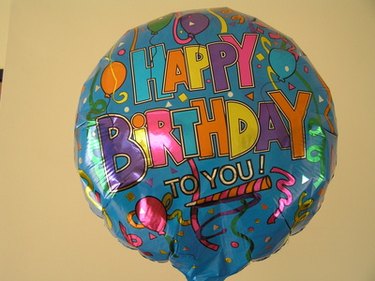
Mylar is the material used for balloons. It is possible to print directly onto the Mylar with an inkjet printer. This is a great way to customize your balloons. Many party planners will print families personal photos directly onto the Mylar for different celebrations. These Mylar balloons are pre-treated for printing. Mylar is a type of plastic and is used for more than balloons. Mylar can be used on computer displays, enhance glass properties, make paper products more durable and wear resistant.
Print on Mylar
Step 1
Chose the digital photo that you want to print on Mylar. This photo needs to be on your computer.
Video of the Day
Step 2
Ensure that your printing software has an option for printing on Mylar. If there is not this option then download printing software that does offer printing on Mylar. The amount of ink and color ratios that are needed are different from printing on normal paper.
Step 3
Place the balloon in the special frame for printing. If it does not have a frame then it can easily jam and print incorrectly. Mylar sheets do not need special frames because they will not jam in the printer.
Step 4
Feed the Mylar through the printer and press print on your computer.
Step 5
Allow the Mylar to draw thoroughly before using the Mylar or blowing up the balloon.
Video of the Day