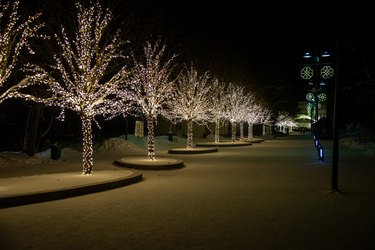
Everyone likes to see pulsing lights at special events and during the holidays, and there are a few ways to make the lights flash to music. Everyone will be clamoring to get on the dance floor, or they'll be happy to dance wherever they are standing or be content with watching the lights flicker in time to the tunes.
Lights That Pulse to Music DIY
Video of the Day
You can make LED lights beat to music with the right components. These components include an LED strip light, a music-sensitive LED controller with a microphone feature and a step-down transformer. You'll also need a power source, such as LED strip lights, which use a 12V current that cannot be connected right into power outlets. This voltage mismatch is why you need that step-down transformer, and it is recommended to use one that converts the 120V/24V AC to 12V.
Video of the Day
Hang this strip on your ceiling, wall or wherever else you want it to be. You'll then need to connect the strip to the controller. Look for a four-pin connector on the controller, which will let you plug in the strip. There should also be a port for connecting your step-down transformer. Once these are set up, plug the light strip into the power source and turn your controller to its music mode. As the music plays, the strip will pulsate with light.
Connecting Christmas Lights to a Speaker
You can connect Christmas lights to a speaker so they will beat in time to the music. Take a string of about 10 lights and strip half an inch of wire from both ends. Unplug the stereo and speakers, pull out the back cable from the speaker, cut the two plugs from the ends and strip half an inch of plastic from the ends. Twist one of the stripped-wire ends of the lights next to the speaker wire to make them parallel with their tips pointed in the same way. Twist them together and repeat with the other end.
Locate the black and red sockets on the back of the speaker and push the stripped end of the red wire and the light wire back into the red socket. Repeat this with the black wire and socket, tape the lights into place where desired, plug everything back in and watch the show.
Christmas Light Controller
You can also sync Christmas lights to music with smart lights and controllers. The Philips Hue Bridge allows you to set up an entertainment area once you have hung up your lights. Connect the app and make sure that the main power is turned on for all the bulbs. In the app, choose "settings" and tap "entertainment areas." Click the plus sign and choose "listening to music."
Pick a name for your indoor or outdoor entertainment area and choose "done." You can add additional areas if you like. Choose "next" and follow the screen prompts to adjust the lights as needed. After that, you can click "done."
There are also software options if you don't have smart lighting. Vixen is for DIYers and is an inexpensive Christmas light controller software program that requires you to set up the song choices and timing sequences on your own. Another one is xLights. It is even less expensive and has an active online forum that can help answer your questions. It also includes some good video tutorials.