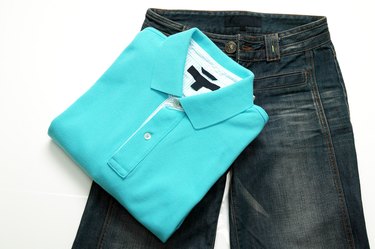
You can easily personalize T-shirts, polo shirts or other clothing or fabric items by transferring images to the material with your inject printer and iron-on transfer paper, wax paper or freezer paper. Use your original photos or images to make one-of-a-kind clothing or fabric items. Widely available in craft and fabric stores, iron-on transfer paper provides the easiest method for adding images to fabric.
Transfer Tips and Tricks
Video of the Day
Reverse the image before printing it onto the transfer paper of choice by saving it with the "mirror view" feature in the image viewing software on your computer. Do not use a laser printer for transferring images because the heat produced during the printing process can melt the transfer paper.
Video of the Day
Keep the fabric on a firm surface when transferring the image to ensure a smooth and complete transfer.
When you opt to transfer images with the wax-paper or freezer-paper methods, these options may not work as well as using the iron-on transfer paper method. Use caution when handling the image transfer paper to avoid smudging the image.
Iron-On Transfer Method
For a detailed image, use a craft knife to cut out the image before transferring to the fabric.
Materials Needed
- Inkjet printer
- Iron-on transfer paper
- Scissors or craft knife
- Cutting mat
- Paper
- Cardboard
- Iron
- Pillowcase
Print the image onto the transfer paper, using an inkjet printer after inserting the transfer paper into the printer with the appropriate side up, as per the package's instructions. Let the image dry before cutting it out. Do not cut the image itself, just cut a border around it to remove excess paper. Set the iron -- empty of water -- to the no-steam setting on high and allow it to heat up. Place the fabric face up on hard surface or on a tabletop covered with a pillowcase. If necessary, place cardboard in-between layers of fabric to protect the other fabric layers.
Place the transfer paper with the image side face-down on the fabric. Run the iron over the transfer paper, pressing firmly on the image, moving it in 20 second passes to avoid scorching the fabric. Ironing times vary, but generally take 3 full minutes for a full sheet, 90 seconds for a half sheet and 45 seconds for a quarter sheet, depending on the product.
Wax-Paper Method
Work carefully and quickly after you print your image because wax paper cannot be moved once you apply it to your fabric.
Materials Needed
- Inkjet printer
- Wax paper
- Pillowcase
- Scissors
- Credit card
- Ruler
First, cut a piece of wax paper to the size of a sheet of printer paper 8 1/2-by-11 inches. Place the wax paper in the printer and print your reversed image on it. Carefully remove the wax paper from the printer after the ink has dried.
Lay the image face-down on the face-up fabric on hard surface covered with a pillowcase. Use a credit card to scrape from top to bottom of the image across the wax paper, pressing firmly. Remove the wax paper and discard.
Freezer Paper Method
Using freezer paper is more complicated than the iron-on transfer paper or wax-paper methods.
Materials Needed
- Freezer paper
- 8 1/2-by-11 inch printer paper
- Spray adhesive
- Ink jet printer
- Spray bottle with water
- Scissors
- Metal spoon
- Spray bottle filled with water
Cut the sheet of freezer paper slightly larger than a sheet of standard printer paper. Spray the paper with spray adhesive. Attached the adhesive side of the paper to the unwaxed side of the freezer paper, leaving the waxy side of the freezer paper exposed. Trim the excess freezer paper to match the printer paper's size.
Insert the freezer paper into the printer so that it prints on the wax side. Mist the fabric lightly with the spray bottle. Set the transferred image face-down on the fabric. To transfer the image from the paper to the material, rub backside of the image with the bowl of a spoon, pressing firmly as you rub. Go over the image a few times to ensure it transfers successfully. Carefully peel away the freezer paper from the fabric.