Things You'll Need
Satin finish bright white tile
Sandpaper
Photograph
Squeeze tube caulk
Plastic gloves
Utility knife
Hard plastic spoon
Water
Clear acrylic coating
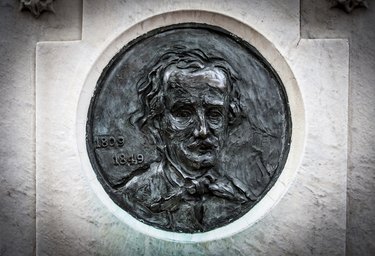
Many people like to include images of departed loved ones on their headstones, but often the cost can be prohibitively expensive. However, a decent image transfer to ceramic tile can be made at low cost, and the image should hold up for a number of years. This type of transfer can be replicated and the tile replaced if the image is damaged over time.
Step 1
Sand the surface of the tile lightly with a fine grit sandpaper. This will give the tile a little tooth so that the photo will adhere well.
Video of the Day
Step 2
Open the photo in a photo editing program. Use the program to flip the photo horizontally. This will create a mirror image of the photo.
Step 3
Print the photograph on a good quality photographic paper. The photo should be a little larger than the tile so that the whole tile surface will be the photo when you are finished. Retain your negative or original for future photographs. Do not use an original.
Step 4
Apply an acrylic medium to the face of the photograph. An acrylic medium is any number of acrylic products with an acrylic base. Acrylic medium is sold as a base in art stores but better adhesion is achieved using a squeeze bottle caulk, such as that made for kitchens and baths. Draw a serpentine line with the caulk.
Step 5
Put on a plastic glove and spread the caulk out so that it covers the face of the photograph. You want a smooth, even, thin layer. Remove clumps and continue spreading the caulk until you have an even coating.
Step 6
Place the photograph image side down on the face of the tile so that the main image is in a good position. You should have excess photo paper on all sides of the tile. Remove your glove. Smooth the photo down from the center out making sure you have no bubbles or creases. Rub the photo to the tile using the bottom of a strong plastic spoon. You want to make sure you get good contact between the photo and acrylic medium.
Step 7
Trim away excess paper with a utility knife. Leave your tile in a cool, dark place for 24 hours to dry.
Step 8
Place a bowl of water near the tile. Dip your finger in the water and rub one spot on the back of the photograph. Add a little more water and keep rubbing. The paper backing on the photo will begin to break down from the water and friction. Continue until you can roll off tubes of paper. Clean the image until you achieve a look you like. Allow the image to dry for at least eight hours.
Step 9
Apply several layers of clear acrylic coating that it will not yellow in sunlight. This should provide protection for your tile image once it is mounted to a headstone.
Tip
Select a bright white smooth tile that does not have a high-gloss finish. White will provide the best contrast for the colors in the photograph. This tile should be at least 8-inches by 10-inches for good visibility.
If you do not have photo editing software, you can paste the image into Microsoft Word, click "Rotate," and then flip it horizontally that way. You can also skip this step altogether if a reversed image will not adversely affect the portrait.
Install your tile with regular tile glue, mortar or grout.
Video of the Day