eHow launches Android app: Get the best of eHow on the go.

How To

How to Machine Sew a Button

Contributor
By eHow Contributing Writer
(3 Ratings)

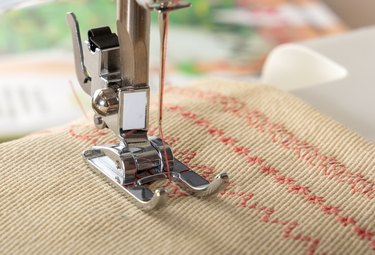
Lost buttons can be a pain to sew on by hand, but you don't have to do that if you have a sewing machine. All it takes is a few minutes to set up the device. Using a machine works for two- or four-hole buttons, but it doesn’t work for a shank button.

From Quick Guide: Sewing Guide
Difficulty: Easy
Instructions

Things You'll Need:

  1. Step 1

    Turn the power off to your sewing machine while you make adjustments. Remove the regular presser foot. Replace it with the button foot. If your machine doesn’t come with a button foot, purchase one.

  2. Step 2

    Set the darning plate over the sewing plate. This keeps the feed dogs from moving the fabric while you are sewing on the button with the sewing machine. Reconnect the sewing machine to the power source.

  3. Step 3

    Slide the fabric that needs the button into place. Place a flat button between the button foot and the fabric.

  4. Step 4

    Move the machine controls to narrow zigzag and zero stitch length. With the machine and bobbin threaded, lower the needle into the left hole of the button. Lower the presser foot. Raise the needle by hand and make sure it goes into the second hole without hitting the button. If it doesn’t, adjust the width of the zigzag stitch.

  5. Step 5

    Sew 8 to 10 stitches in the holes of the button. If the button has 4 holes, raise the presser foot and realign the holes. Take 8 to 10 more stitches in the second set of holes.

  6. Step 6

    Raise the presser foot. Remove the fabric with the button attached from the machine. Clip the threads on both sides. Repeat this process for all the other buttons you need to sew back on.

Comments  

Flag This Comment

on 1/23/2009 How about some pictures?

Post a Comment

Post a Comment
  • Have you done this? Click here to let us know.
I Did This

Related Ads

Hobbies, Games & Toys
Nate Chang, eHow Expert,

Meet Nate Chang, eHow Expert eHow's Hobbies, Games & Toys Expert.

Get Free Hobbies, Games & Toys Newsletters

Copyright © 1999-2009 eHow, Inc. Use of this web site constitutes acceptance of the eHow Terms of Use and Privacy Policy.   en-US Portions of this page are modifications based on work created and shared by Google and used according to terms described in the Creative Commons 3.0 Attribution License.

eHow Hobbies, Games and Toys
eHow_eHow Hobbies, Games and Toys