How to Make a PC Run Faster

Video Preview

Summary: Make a PC run faster by disabling programs that run during the startup. Find out how to make a computer run faster and more efficient with tips from a software developer in this free video about computer technology.

Views:
1,549
Presenter
By Dave Andrews
eHow Presenter

Dave Andrews is a software developer with a business and Web site selling programs and other computer services in Franklin, Tenn. Having worked in the IT industry for more than 8...read more

Comments  

Flag This Comment

on 9/13/2009 Wow, Dave,
You messed up my computer, I deleated the check marks like you suggested. closed down the computer and when it reopened, the screen turned greay and (everything went blank) I I could not get to anything (no re-set) I finely closed it down for awhile and it fixed itself, I went back to the config like you said and when it opened every box was checked. The first time I did that just the first 5 boxes were checked.
That cost me about an hour. Need more ddirecvtion I guess. How about msconfig for dummies? I had already rat6ed your artcle a 5, at least go rate my articles and or recomend me. Thanks

Post a Comment

Post a Comment

Video Transcript

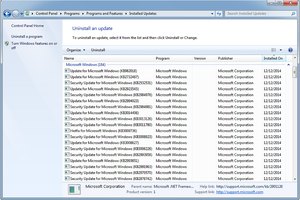
"Hi, my name is Dave Andrews, today I'm going to show you how to make your PC run faster. To begin, we're going to clear out the items in our start up folder. Let's click on the start button at the bottom, hit all programs, and locate in the list the folder called startup. These are the files that launch when your computer logs on. I don't have any here but if you have programs that launch in the background when you logged into your computer that you didn't want to, you would just right click on them and say delete from here. The next tip is to click on the start button and then right above your start bar let's type in MSconfig, all one word and press enter. This launches the system configuration screen. Click on the start up tab at the very top and it gives you a list of all of the programs that run when your computer itself starts up. If I have a program that I don't want to run, I would just uncheck it here and I can also enable all and disable all by clicking on these buttons. By disabling programs that run at startup, your computer will be sped up. My name is Dave Andrews and I've just showed you how to make your computer run faster."

eHow Article: How to Make a PC Run Faster

Related Ads

  • Have you done this? Click here to let us know.
Computers
Alexia Petrakos,

Meet Alexia Petrakos eHow's Computers Expert.

Get Free Computers Newsletters

Copyright © 1999-2009 eHow, Inc. Use of this web site constitutes acceptance of the eHow Terms of Use and Privacy Policy.   en-US

eHow Computers
eHow_eHow Technology and Electronics