How to Backup Files to an iPod

Video Preview
From Quick Guide: Online Storage Guide

Summary: Use a computer to backup iPod files. Discover how to backup iPod files with tips for a technology specialist in this free video about how to use an iPod.

Views:
596
Presenter
By Rokosz
eHow Presenter

Rokosz "Your Digital Lifestyle Expert" has been using digital devices ever since they've been invented. He now uses his two plus decades of knowledge and experience to show others how...read more

Click Here

Post a Comment

Post a Comment

Video Transcript

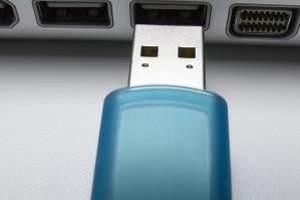
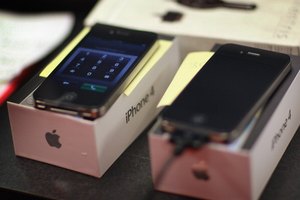
"Another very cool thing about owning an iPod, is that, if you got a lot of files you want to carry around with you, and it's important that you access them, and they're large, well, gosh, you can use your iPod as a large portable hard drive. Hi, I'm Rokosz, your digital lifestyle expert, and I'm going to show you how to enable disk use, and use your iPod, part as a music device, and part as a portable hard drive for information to share, backup, or store. It's pretty straight forward and simple. The first thing you want to do, is, hookup your iPod to your computer, using your, fancy, dancy, iPod cable, hooking the USB part of the cord, into the USB port into the computer. And then when your device comes up, click on it. And right here in summary, if you look down to the bottom, you're going to see a little check thing called, enable disk use. If you click that there, what that allows you to do is, well, enables you to use your iPods hard drive as a disk. So what does that mean to you? Let me show you. I'm going to switch my space over here, go over to my finder protocol, and right here, if I click on it, now here I am clicking on it as a device, here in the- right here in finder, and we can see the different things inside of it, notes and recordings. But if I want to keep a file that I might want to transfer, backup, and keep saved, lets say this final conserver instruction manual. I'm just going to move that bad boy right over there, plop it in place, I'm going to replace it, because I already have it in there, I want it so much, and there she is right there. I can take a preview of it, there it is, I can look at it, I can take it with me. So if I ever get stuck, I can walk up to any computer, open it up, look in it as a PDF, if my air goes into a chipper shredder lets say, (I hate it when that happens) then I simply have it backed up in yet another location. If you've got the space, and the latest survey says, that only half, (well excuse me) all of available MP3 players, and iPods are only half full. So use the other space to save those important documents, or the ones you want to take with you. That's my recommendation. I'm Rokosz, your digital lifestyle expert, saying, string you later."

eHow Article: How to Backup Files to an iPod

Related Ads

  • Have you done this? Click here to let us know.
Get Free Electronics Newsletters

Copyright © 1999-2009 eHow, Inc. Use of this web site constitutes acceptance of the eHow Terms of Use and Privacy Policy.   en-US

eHow Electronics
eHow_eHow Technology and Electronics