Summary: When choosing an uninterruptible power supply, or UPS, determine how much energy is needed to run the computer and find a UPS with a battery that will store enough energy to accommodate the computer during a power failure. Find out the equation used to determine energy usage for computers, fax machines or telephones with information from a computer technician in this free video on computers.
Jonathan Ayres has more than 25 years of computer industry experience with all types of computer hardware and operating systems. Along with a Microsoft certification, he is also...read more
Computers are complex machines built upon very simple principles. They perform arithmetical operations millions of times over to transform digital information moving at lightning speed into usable human data. A personal computer's job is to help a user create, manipulate, deliver, receive or delete media content. This is a simple, sterile definition that sounds uninteresting on the surface. Nevertheless, these fundamental functions mimic human ability in some surprising ways. Therefore, the computer is increasingly becoming an engine of the imagination, a platform for the digital life. In this free video series on computers, an experienced computer technician explains computer information. Find out to choose a UPS and how to resize NTFS partitions. Get information on accessing Mac files on a PC and get tips on comparing Mac laptops to Dell laptops. Need to hookup a printer to a wireless network? Learn how with tips and more in this free video series.
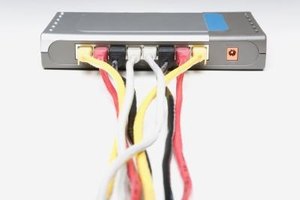
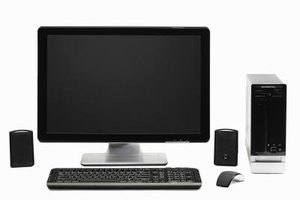
"My name is Jonathan Ayres. I own Network For Success, an IT company. And today, we're going to talk about how to choose an Uninterruptible Power Supply also known as the UPS. Now the question arises immediately. How do I pick a UPS? When there are so many available. And what parameters do I look for? So let's start off, by thinking about what a UPS actually is. A UPS is a battery in a box. And what is it used for? It's used to protect your computer from power outages and other power problems. You could have a power outage caused by the electricity company coming into your house. Or by a component in the computer, breaking. It could be the fan or some other device. Or we'd want to turn the computer off or cause a problem with the way it's running. An uninterruptible power supply will provide electricity continuously for the amount of electricity that it has stored in the battery. In it's box. Now I have my arm resting here on an uninterruptible power supply. And inside this gray box that we're looking at here. Is just nothing, other than a storage battery. Just like you have in your car. This battery is providing power to your computer through various outlets on the back. And we look here on the back. We can see that we have a number of chords pugged in. And these chords will be going directly to your computer. And we also have some other possibilities on the back of an uninterruptible power supply. We have a serial cable outlet. And we also have protection for telephone and a fax modem. And what that protection is, is basically not just to always provide electricity. But also for spikes in electricity. So it's always a good idea if you have a telephone or fax. To have them plugged in. If your power supply provides that. Now this serial port that I have, my finger pointing out over here on this side. Is for monitoring the UPS. And the reason you'd want to monitor it, is to see you know. If the battery is being charged regularly or if it's providing a good level of electricity. Each company that makes another uninterruptible power supply has it's own software program. That will show you very states of the UPS, at any given time. If you want to monitor them. Typically, these are used by companies that are using power supples for corporations. That have a lot of computers. And need to protect them. And then they have people that monitor them all the time. So when we're going to look for a power supply, we want to look for these different features. But mainly, the number one issue, one would look at is. Is there going to be enough energy in the battery to run my computer? So the question arises, how much energy does a computer take? Just one computer. And a regular desktop computer that you would have in your home. Would typically run between four and six hundred watts. So when you go to look for a UPS in a store. They're going to have watt sizes on the outside of the box. It's going to say, here's the UPS. It will provide you with 400 watts of power, 600 watts of power, 800 watts of power, 1200 watts of power. So if you had two computers, you'd want to go for an 800 watt power supply, uninterruptible power supply . So that would be, how you'd pick one. And I would give you the rule to always look at whatever you have plugged in. And multiply it, times one and a half. So for example, if you had a 400 watt computer. Buy a 600 watt power supply. That would be one and a half times 400 or 600. It will be the same thing for having multiple devices plugged in. So if you had your fax machine plugged in. You'd want to find out, how many watts that fax machine operated on? Add that into the equation. And then give yourself a fifty percent buffer or one and a half. This is a good way for you to be able to pick what type of uninterruptible power supply. That you want to buy."
eHow Article: How to Choose an Uninterruptible Power Supply