iMovie Tutorial: Connect a Video Camera

Video Preview

Summary: Connecting a video camera to Apple iMovie with FireWire or USB connections allows the program to automatically import video. Hook up a video camera to a computer to get iMovie direct access to footage with tips from a digital video expert in this free video on using Apple iMovie digital media.

Views:
1,355
Presenter
By Paul Ferguson
eHow Presenter

Paul Ferguson is a professional videographer and editor. With a partner, he runs Repro Video Productions, a Boston-area production facility specializing in corporate videos and...read more

Post a Comment

Post a Comment

Video Transcript

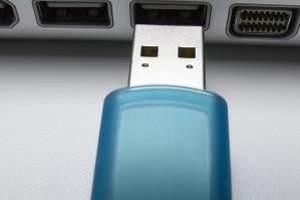
"iMovie is a registered trademark of Apple. I am in no way affiliated with Apple. Okay, in this clip we're going to be connecting the video camera to the computer so iMovie can recognize the camera and start importing the footage that's on the tape. Now, I'm using a mini dv camcorder. This is pretty standard. A lot of people have these kind of cameras. Now, most video cameras use what's called a FireWire cable to connect to your computer. One of the ends of the FireWire cable is fat and thick, and this is the end that you connect to your computer. The other end is much smaller. It's a small connector, and it has a flat top and a notch on the bottom. If you're using a digital still camera most likely you'll connect that camera with a USB cable, but we're using a video camera here so we're going to use a FireWire cable. Have to do is find this connector on your camcorder. All video camcorders have these, all digital video camcorders have these connectors. It usually says either DV in and out or it will say FireWire on it. Connect it to your camera. Take the other end, the fatter end. I'm using an Apple laptop here. If you have a desktop computer this connect will probably be on the back of the computer. Some computers don't have FireWire connectors. If that's the case, you can always buy a card that you can install on your computer that allows you to have these type of FireWire connectors, and I recommend that for a computer that doesn't have any FireWire connectors, cause' you can also connect hard drives to this connector, and it's a very, it provides a very fast transfer rate; especially if you're using video it's a good idea. So basically, you take the other end of this cable, you connect it into your computer. Have the camera on when you open up iMovie. As I said, as I will show you in a later clip, iMovie will automatically recognize that this camera's connected, and it'll be ready to start importing. Now, this is an image of a USB cable. You can see that the the top is much flatter and not quite as thick as the six pin connector on the FireWire cable. The FireWire cable has an oval at the top, and then it's straight on the bottom, and it can only connect to your computer in one way."

eHow Article: iMovie Tutorial: Connect a Video Camera

Related Ads

  • Have you done this? Click here to let us know.
Computers
Alexia Petrakos,

Meet Alexia Petrakos eHow's Computers Expert.

Get Free Computers Newsletters

Copyright © 1999-2009 eHow, Inc. Use of this web site constitutes acceptance of the eHow Terms of Use and Privacy Policy.   en-US

eHow Computers
eHow_eHow Technology and Electronics