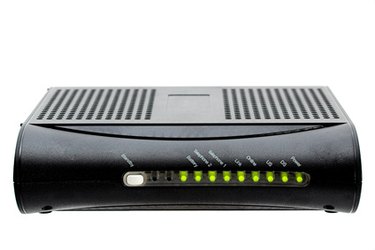
The send light on a cable modem indicates your uplink status. When the send light is solid, there is a solid uplink connection between you and your ISP. If it is continually blinking without ever going solid, in most cases it means there is an outage in your area. However, this is not always the case. Occasionally, the issue is on your end and you can troubleshoot it yourself without having to call technical support.
Step 1
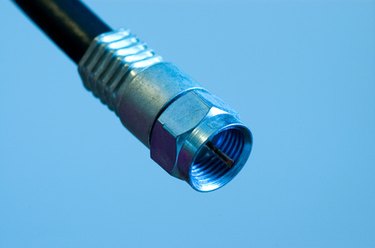
Leave the power connected to the modem and remove the coax cable.
Video of the Day
Step 2
Let the modem sit idle until the receive light starts blinking.
Step 3
Remove the power from the modem.
Step 4
Reconnect the coax cable to the modem.
Step 5
Reconnect the modem's power. If this did not resolve the issue, continue reading.
Step 6
Open Internet Explorer, and in the address bar type: 192.168.100.1
This will bring up a diagnostics and configuration page for most cable modems.
Step 7
Click on the configuration tab and then on the "Restart Cable Modem" button.
Step 8
Allow up to 60 seconds for your cable modem to power cycle. If this did not resolve your issue, continue reading.
Step 9
Go back to the modem configuration page and click the button "Reset all defaults."
Step 10
Allow up to 30 minutes for your cable modem to fully boot back up. If your send light is still blinking, the issue is not something you can repair.
Step 11
Locate the HFC MAC ID. This will be the third alphanumeric line on the sticker that is on your modem. Contact your ISP tech support and advise them of the issue as well as the steps you have already taken to alleviate it. Provide them the MAC ID when asked; if there is not a global outage, they will review your uplink signal history and attempt to connect with your modem to reset the uplink channels. If they're unable to communicate with your modem, a technician will be dispatched.
Video of the Day