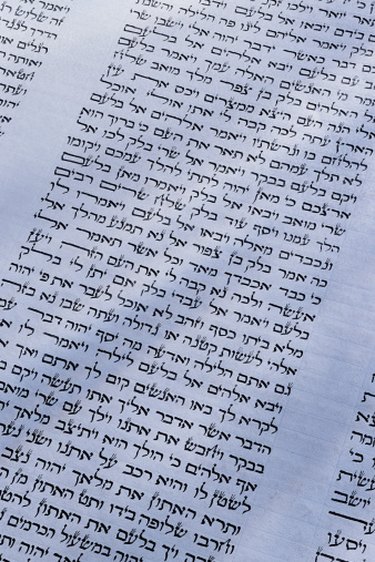
Justifying text in Word adjusts the spaces between words so that the text is aligned relative to a column. Right- and left-justified text forms a straight vertical line at the right- and left-hand margins, respectively. The unjustified side of the text is called "ragged" because of its uneven appearance. Fully justified text is aligned on both the left and right, and center-justified text centers each line, leaving both margins ragged.
Left-Justifying Microsoft Word Text
Video of the Day
Most European languages, including English, typically use left-justified text, and the left-side justification is the default style on the Web. Word, by default, justifies to the left, but if a setting has been changed, reset left justification by placing the cursor at the beginning of the text you want to justify, and then clicking and dragging the right mouse button over the block of text. Release the mouse, leaving the text highlighted. On the "Home" tab "Paragraph" section of the ribbon, click the left-justify icon, which contains a graphic of lines of text justified on the left and ragged on the right.
Video of the Day
Right-Justifying Microsoft Word Text
Right-justified text is common to Arabic and Hebrew text. In English, right justification is sometimes used in tables and to set apart special text, like an author's name after a direct quote. To justify text along the right-hand margin, leaving text ragged on the left-hand side, repeat the process for left justifying text, but instead press the right-justify icon.
Fully Justify or Center Justify Word Documents

In print sources that use columnar text, such as newspapers and magazines, full justification is common. However, to justify both sides of text in a column, you'll often have to hyphenate words or adjust the spacing between words, resulting in some uneven gaps of space between words. Center-justified text is common on title pages for research papers, chapter titles and other headings. However, in regular text, avoid centered lines if possible, as they are difficult for the eye to follow, slowing down reading. To fully justify or center text, highlight it with your mouse, click "Home," "Paragraph" and then the icon showing lines that are even on both margins or centered, respectively.
Setting Justification Defaults
If you often use one style of justification, such as fully justified text for columns, set a default style to make it easier to switch to this option when you need. Type in the text you want, highlight it, justify it as desired, and then right-click the text with your mouse while the text is still highlighted. Scroll down to "Styles" on the pop-up menu and then choose "Save Selection as a New Quick Style." Type in a name for the style, such as "Fully Justified Text," and click "OK." The new style will show up in your "Home" tab's "Styles" menu on the ribbon.
- Outskirts Press: Justification (Typesetting)
- Dummies.com; How to Align and Justify Text in Word 2010; Dan Gookin
- MSGROUPS.NET: How Do I Get Word to Default to Justify for Letters?
- Microsoft Office: Video: Align Text in Word -- Left, Center, Right, Justify
- Shauna Kelly: How to Modify Styles in Microsoft Word