eHow launches Android app: Get the best of eHow on the go.

Click Here
How To

How to Program a Zenith Universal Remote Control

Contributor
By eHow Contributing Writer
(272 Ratings)
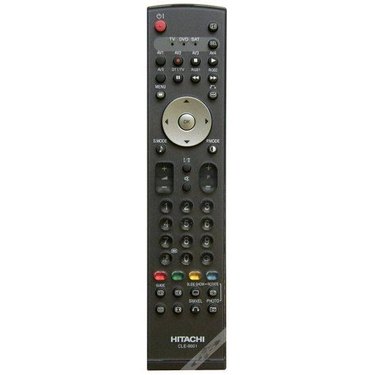
Toss all your old remotes aside and use the Zenith Universal remote control instead.

It takes only a few steps to program a Zenith Universal Remote Control, but it often proves more difficult than it would appear from the simple instructions! Despite the hassle in getting the codes right, you'll be rewarded when you can eliminate several remotes in favor of a universal one.

From Quick Guide: Program Remote Controls
Difficulty: Easy
Instructions

Things You'll Need:

  1. Step 1

    Manually turn on the component you wish the remote to program.

  2. Step 2

    On the remote, press and hold the CODE SEARCH button until the indicator light illuminates, then release the button.

  3. Step 3

    Press and release the button for the component (TV, VCR, etc.)

  4. Step 4

    Find the three-digit code for the component in the code list (this should be located in your remote's instruction booklet) and enter it using the number buttons. The indicator light should turn off.

  5. Step 5

    Check to be sure the right code was entered by pressing some of the buttons with the component turned on. The component should respond, indicating that it is properly programmed.

Tips & Warnings
  • If you don't have a list of codes, check the Web site www.xdiv.com/remotes/. If your exact product isn't listed, try the codes for other products from the same manufacturer. Typically a manufacturer will use similar programming codes for all of their products.

Comments  

| View All 15 Comments

ipics said

Flag This Comment

on 5/17/2009 my ZENITH remote wont work only TWO of my FOUR pin numbers work i tride for three ....... hours and notini did all the steps and and looked for an hour on GOOGLE for codes for my tv im so ....... pist OFF

mom12281 said

Flag This Comment

on 2/2/2009 The instructions forgot to mention that you have to press MUTE to save the code the code. This is an important step. Thanks to the person who left those instructions in a previous comment.

mom12281 said

Flag This Comment

on 2/2/2009 The instructions forgot you have to press the MUTE button on save the code. Kind of important. Thanks to the person who included this important step in their comment.

a1tennis said

Flag This Comment

on 12/8/2008 I need help I have a DAEWOO tv and a zenith remote and have tried the instruction for locating the code and it was 019 and it did not work I also have 8 other codes and no lunk and ideas would help. Thanks

Dalvan said

Flag This Comment

on 1/9/2008 I have a small zenith remote with no code search button; I have programmed it before but now I cannot figure it out. Any ideas

Subscribe

Post a Comment

Post a Comment

Related Ads

  • Have you done this? Click here to let us know.
I Did This
Get Free Electronics Newsletters

Copyright © 1999-2009 eHow, Inc. Use of this web site constitutes acceptance of the eHow Terms of Use and Privacy Policy.   en-US Portions of this page are modifications based on work created and shared by Google and used according to terms described in the Creative Commons 3.0 Attribution License.

eHow Electronics
eHow_eHow Technology and Electronics