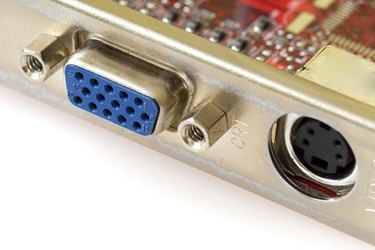
NVIDIA Corp. develops graphics processing units (GPU) for personal computers. Graphics cards using these GPUs display images on a computer screen. A slow or poorly performing card can cause frame rates to lag or render images lacking detail. GameSpot reports that when Blizzard Entertainment released the online-multiplayer game World of Warcraft (WoW), most any graphics card could adequately process the animation. Users can, however, optimize their WoW game play by altering the settings on an NVIDIA-based graphics card.
Optimize Settings in NVIDIA Control Panel
Video of the Day
Step 1
Open the NVIDIA Control Panel. Click "Start," then click "Control Panel." Double-click "NVIDIA Control Panel."
Video of the Day
Step 2
Click "3D settings" and then click "Manage 3D settings." Click "Advanced view" in the top menu bar.
Step 3
Change the anisotropic settings. Set "Anisotropic filtering" to "Application-controlled" so that you can adjust this within the WoW options. Set "Anisotropic mip filter optimization" to "On," and "Anisotropic sample optimization" to "Off." Move the "Antialiasing Settings" to the "2X" quality setting. Set the "Transparency antialiasing" to "Multisampling."
Step 4
Set the "Vertical sync" to "App-controlled" so that you can alter the settings that affect this within WoW. Turn on "Trilinear optimization" and "Conformant texture clamp" and turn off "Triple buffering" and "Extension limit." Unless you have multiple graphics cards installed, set "Multiple graphics card acceleration" to "Single display performance mode."
Step 5
Set "SLI Performance Mode" to "Force alternate frame rendering 2" and set the "Force mipmaps" to "Bilinear." Move "Negative LOD Bias" to "Allow" and then set both "Texture Filtering" and "Image Settings" to "High performance."
Step 6
Click "File" and then click "Exit" to close the NVIDIA Control Panel. Restart your computer for these changes to take effect.
Optimize Settings in World of Warcraft
Step 1
Launch WoW and open the "Options" menu by pressing the "ESC" key during game play. Click "Video settings."
Step 2
Set "Terrain Draw Distance" between 70 and 97, depending on your processor's speed. According to GameSpot, this number will affect game play more than any other setting. If your computer has a slower processor (1.5 GHz or less), shift the slider bar more toward 70. Users with faster processors (2.5 GHz or higher) can opt for a higher setting. The ZAM website recommends that you add "one" to whatever setting suits your processor best. Terrain distance determines how much of the gaming environment you can see in the background.
Step 3
Turn off "full screen glow." The ZAM website reports that this feature adds little to game play while consuming a good deal of system resources. Set Environmental Detail at 95 or above. The more detail you can see during game play, the more enjoyable an experience you will have while playing WoW.
Step 4
Set Anisotropic Filtering between 85 and 97, depending on your processor. Users with slower processors should opt more toward the 97 end. This quality will affect the three-dimensional rendering of the game world.
Step 5
Set Weather Intensity, Terrain Texture, Trilinear Filtering, Weather Shaders, Vertex Shading and Smooth Shading above 95. Enable "Fog Table Emulation" if it is not already turned on. This property is essential to game play.