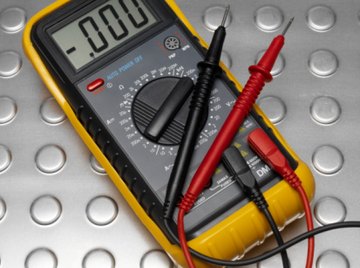

Learn to determine the amperage drawn by an electrical device to test for a malfunction. A device that has an electrical current flow through itself, in amperes (amps), lower than prescribed by the manufacturer may experience power failures. A device that draws too much current could short itself out, causing further damage and may be a fire hazard. A digital multimeter connected in series with a device can quickly read amperage draw. A series connection allows only one electrical current path between the multimeter and the device being tested.
Turn on the digital multimeter and rotate its measurement dial to either the alternating current (AC) or the direct current (DC) measurement setting, depending on the type of device tested. The AC and DC current settings are represented by a capital "A" with wavy or straight lines above it, respectively.
Plug the red probe of the multimeter into its positive port. Connect the black probe of the multimeter into its negative port.
Disconnect the wire that connects the positive terminal of the circuit's battery to the device being tested. Connect the red multimeter probe to the place on the device the wire was removed. Connect the black multimeter probe to the wire that was disconnected from the device that leads to the battery. The multimeter is now wired in series with the device being diagnosed. Note the amperage reading displayed on the multimeter screen. If the amperage reading is not within 5 percent of the manufacture's recommended current draw, the device may be damaged.
References
About the Author
William Hirsch started writing during graduate school in 2005. His work has been published in the scientific journal "Physical Review Letters." He specializes in computer-related and physical science articles. Hirsch holds a Ph.D. from Wake Forest University in theoretical physics, where he studied particle physics and black holes.
Photo Credits
Polka Dot Images/Polka Dot/Getty Images