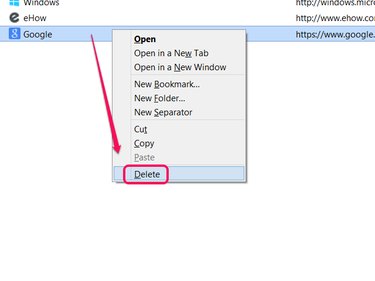
Bookmarking (or favoriting) a Web page adds it to a list in your Web browser for quick access. Think of bookmarks like speed dial for websites -- no need to remember a long Web address or dig through your history to revisit a site you liked, just click its bookmark.
Internet Explorer
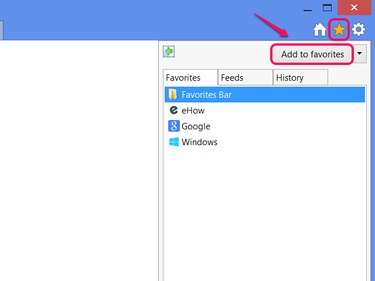
To add the current site to your favorites in Internet Explorer 10 or 11, click the star icon to see your list of favorites in a sidebar and then click Add to Favorites.
Video of the Day
Video of the Day
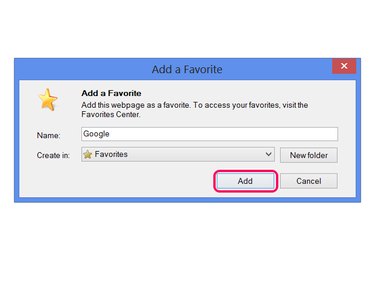
Click Add in the dialog box to create the favorite. Optionally, give the favorite a new name or use the Create in menu to place the favorite into a folder for sorting.
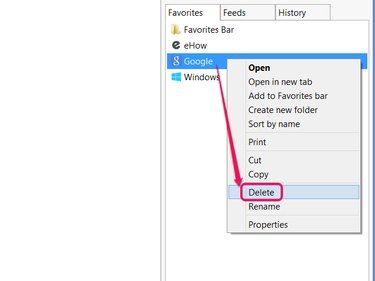
To delete a favorite, reopen the sidebar with the star icon, right-click a favorite and choose Delete.
Chrome
Bookmarking a page in Chrome only takes one action: Click the star icon at the end of the address bar. In Chrome 42 or above, clicking the star also pops up a small panel with text boxes to edit the bookmark or add it to a folder. If you don't need these options, just click elsewhere on the browser window to close the panel.
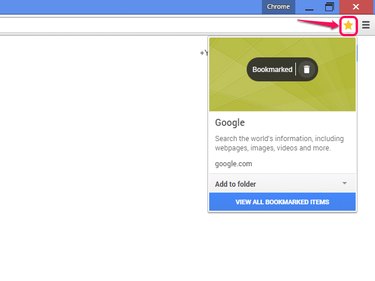
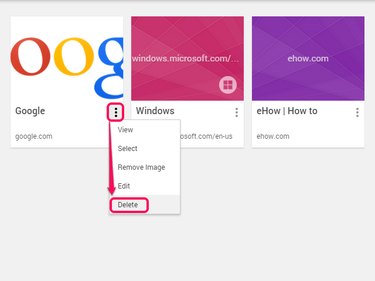
To remove the bookmark for the current site, click the star icon again and click the trash can icon. To delete or edit other bookmarks, click View All Bookmarked Items or press Ctrl-Shift-O to open the bookmark manager. In the manager, open the menu on a bookmark and select Delete to erase it.
Firefox
Click the star icon in Firefox 29 or above to bookmark the current site. To edit the bookmark's name, folder or tags, click the star a second time. To delete the bookmark, click the star and then click Remove Bookmark.
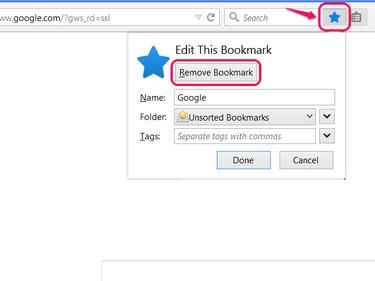
To delete other bookmarks, click the icon next to the star and choose Show All Bookmarks, or press Ctrl-Shift-B. Right-click a bookmark and choose Delete -- or select a bookmark and press the Del key -- to erase it.