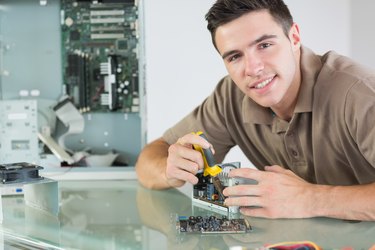
A thermal shutdown occurs when a computer case or central processing unit temperature reaches a critical level at which point the computer will automatically shut down to avoid permanent damage. There are a variety of factors that can cause your computer to overheat and a range of external and internal problem origins; in some situations, you may not be able to fix the problem and will need to simply adjust your use patterns. Fixing a thermal shutdown may take hours and may require the replacement of potentially expensive computer components.
Step 1
Leave your computer off for a few minutes after a thermal shutdown. You may be tempted to turn it back on and see what the problem is, but this is dangerous for its internal components. They need 10 to 15 minutes to cool down, depending on room temperature. If the room is hot (80 degrees Fahrenheit or more), you should wait until the room has cooled down or move the computer to a cooler location. Do not put the computer in a refrigerated location; the sudden drop in temperature may warp and crack its internal parts.
Video of the Day
Step 2
Detach the computer's power cable and open side door of its case. This may require a No. 2 Phillips screwdriver. With your small flashlight, visually inspect the inside of the case for physical damage -- things that look burned. Smell the inside of case for the odor of melted plastic. If you detect this, something has probably been damaged beyond repair and the computer needs to be sent to a technician. If this odor is present, close the case; plastic fumes are toxic.
If there is a lot of dust in the case or around the vents, clean it out. Dust acts as an insulator and can contribute to overheating. Remove the dust using short bursts from a can of compressed air. Hold the can vertically, perpendicular to the floor, when spraying. If the can is angled, it may spray frozen gas.
If the inside of the case appears undamaged and clean, reattach the power cable, but do not close the case door.
Step 3
Do a quick check for mechanical failure. Turn your computer on for about 10 seconds and observe its system fans, CPU fan and video card fan (if present). All of these fans should be spinning. Put your hand outside the case and behind the power supply unit. You should feel warm air coming out of the grill behind the PSU. If the PSU fan is not working, the PSU needs to be replaced or its fan needs to be replaced by a trained technician. If the other fans are not spinning, check their connectors for damage or looseness.
In rare cases, the thermal paste or grease between your CPU and its heatsink may have degraded, causing the CPU to overheat, in which case the heatsink needs to be reinstalled. It is generally cheaper to replace an inoperative system fan than to get it repaired. An inoperative video card cooling system needs to be attended to by a trained technician. If it is under warranty, contact your manufacturer.
Video of the Day