


ACH means Automated Clearing House. All you need to know about ACH is it enables you to make free payments online for utilities, credit cards, insurance premiums, even money you owe to individuals. ACH payments go through your bank, so they offer security as well as convenience. Move step-by-step through the process for setting up and making ACH payments, and learn to pay your bills without the headaches of stamps, envelopes, and trips to the post office.
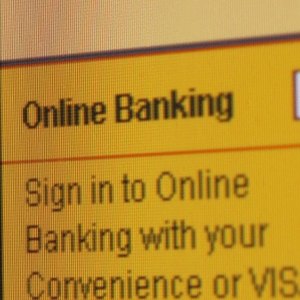
Open an account with a commercial bank. At the time of opening this account, ask for their online address for signing up for online bill paying.
Your bank's website will guide you through the process for signing up to pay bills online. The account and personal information you give in this process is something the bank already knows, so you are not giving out personal information to anyone who does not already have it. The bank keeps your information private.

Once you have signed up for online bill paying, select "New Payee" on the bank's online bill paying screen. Then find the boxes that ask for the name of the company or person you want to pay.

Open the paper bills that came in the mail. Enter the names of the companies and people you pay, along with account numbers and addresses.
Click on "save payee" or "add payee" at the end of the page where you enter the account number. This makes the payee a permanent part of your bill-paying page so you won't have to enter their information every time you pay.
To pay your bills, click on "select payee." Click on the name of the payee you want to pay.
Fill in the amount you wish to pay in the box provided.
Click "pay" or "send," depending on the language your bank uses. You may see a pop-up box that asks you to confirm that you wish to pay.
Repeat this process for each payee.
Tips
Past ACH payments remain in your "past payments" list in case there is a dispute about any bills you paid.
Warnings
Many online bills clear immediately, so the old trick of writing and mailing a check before the money is actually in your account won't work. With online bills, make sure the money is already in your account before you click "send."
References
Tips
- Past ACH payments remain in your "past payments" list in case there is a dispute about any bills you paid.
Warnings
- Many online bills clear immediately, so the old trick of writing and mailing a check before the money is actually in your account won't work. With online bills, make sure the money is already in your account before you click "send."
Writer Bio
Kevin Johnston writes for Ameriprise Financial, the Rutgers University MBA Program and Evan Carmichael. He has written about business, marketing, finance, sales and investing for publications such as "The New York Daily News," "Business Age" and "Nation's Business." He is an instructional designer with credits for companies such as ADP, Standard and Poor's and Bank of America.