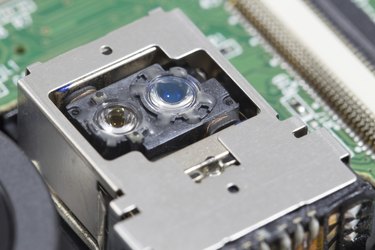
A non-cooperative Blu-ray player that frequently skips or won't read content may be malfunctioning because of a dirty lens. Dust and debris can work its way into your machine and obstruct the lens; removing the obstructions fixes the problem. Cleaning a dirty Blu-ray lens can be as simple as inserting a cleaning disc or as complicated as disassembling the drive; however, the process always comes with a damage risk.
Step 1
Insert the cleaning disc, press "Play" and follow the onscreen instructions.
Video of the Day
Step 2
Remove the cleaning disc and test the drive. Stop here if the drive works.
Step 3
Blast the lenses with compressed air to remove debris. If possible, expose the lens and spray from a few inches away. If the drive will not expose the lens, pop open the tray and spray the compressed air alongside the entire opening.
Step 4
Test the drive and stop if it works.
Step 5
Wipe off the lenses with an isopropyl alcohol (91 percent or greater) damp cotton swab or cloth if the drive still won't work. Gently wipe the lenses using a cotton swab if the drive can expose the lenses. If the drive uses a tray or slot loading mechanism, wrap a clean credit card in a cotton cloth, insert the credit card into the opening and slowly drag the credit card from side to side.
Step 6
Test the drive; if it still doesn't work, either bring the device to a repair professional or disassemble it yourself to directly wipe off the lens with an isopropyl alcohol damp cotton swab.
Video of the Day