

How to Space Between Ceramic Tiles

Ceramic tile is beautiful, durable and not that hard for do-it-yourselfers to lay on floors or walls. The most important part is making sure that you space our ceramic tiles evenly and consistently, so that you don’t end up with a jigsaw puzzle pattern of grout.
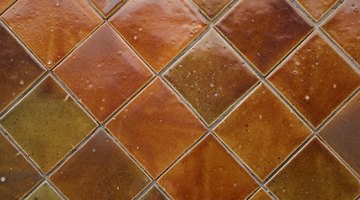
Spacing ceramic tiles can be accomplished by several methods, but once you choose a method you need to stick with it for the duration of the project. Laying ceramic tiles takes a lot of attention to detail, but the rewards are more than worth it.
Floor Tiles
-
Decide how thick you want your grout line to be. For 12-inch by 12-inch tiles, this should be at least one-quarter of an inch. If the tiles are too close together, it can weaken the grout, and if they are too far apart, your floor will have an unintended stripe-y look.
-
Purchase removable tile spacers. You can buy them in several widths, including one-eighth, three-sixteenths, one-quarter and three-eighth inches.
-
Lay your first tile, and then set the removable tile spacers at the corners.
-
Set the next tile tight up against the spacers, and put spacers against its corners.
-
Place the next tile, the next spacers, and so on until you are finished.
-
Use the edge of a tile held perpendicular to the floor as a spacing guideline if you are experienced at laying tiles. Use the same edge of the same tile for consistency.
-
Lay out all tiles, working from the center of the room farthest from the door to one side, and then the other. Do not grout any tiles down until you can see how they will look when laid out.
Wall Tiles
-
Make a tile stick from a straight 1 inch thick x 2 inch wide board that is at least 24 inches long. Start by laying a straight line of your tile out on the floor. Space your tiles using removable tile spacers, or the edge of a tile held perpendicular to the floor. Don’t forget to include an accent tile, if you will be making a stripe around a shower wall or some similar pattern.
-
Mark the tile edges and grout lines on your 1inch x 2 inch board. For square tiles, you will only need one tile stick, but if your tiles are rectangle-shaped, you will have to make one guide for laying out the tiles horizontally and another for the vertical spacing.
-
Set the tile stick flush against the wall, and use the lines drawn on it to guide you in placing your tiles.
Things You Will Need
- Ceramic tiles
- Removable tile spacers
- 1 inch x 2 inch board, at least 24 inches long
- Marker
Tip
Lay out your tiles before grouting so you can see if any will need to be cut to fit the space. Place the cut tiles where they are less likely to be noticed.
Warning
Always tile toward the door, so you don't have to walk across newly-laid tiles to get out of the room.
References
Writer Bio
Emmy-award nominated screenwriter Brynne Chandler is a single mother of three who divides her time between professional research and varied cooking, fitness and home & gardening enterprises. A running enthusiast who regularly participates in San Francisco's Bay to Breakers run, Chandler works as an independent caterer, preparing healthy, nutritious meals for Phoenix area residents.
Photo Credits
- Hemera Technologies/AbleStock.com/Getty Images
- Hemera Technologies/AbleStock.com/Getty Images
More Articles

