Tumblr lets you add photos to text posts either by uploading an image file from your hard drive or by directly pasting a URL to a picture hosted on a third-party server into the post editor window. If Tumblr fails to properly fetch the linked image, edit the post's HTML code to embed the picture manually.
Step 1

Image Credit:
Image courtesy of Tumblr
Go to your Tumblr dashboard and create a new text post by clicking the Text icon.
Video of the Day
Step 2
Compose your text post.
Step 3
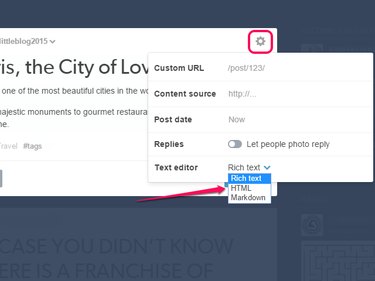
Image Credit:
Image courtesy of Tumblr
Switch to Tumblr's HTML editor by opening the cog menu and selecting HTML from the Text Editor menu.
Step 4
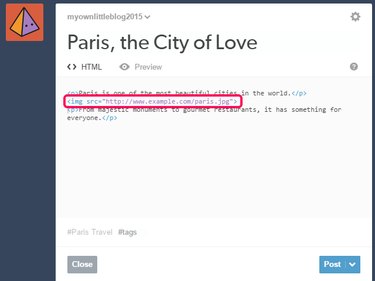
Image Credit:
Image courtesy of Tumblr
Enter the following HTML code at the point where you want to display the image:

Replace the example URL with the correct one.
Step 5
Publish your post by clicking the Post button.
Video of the Day