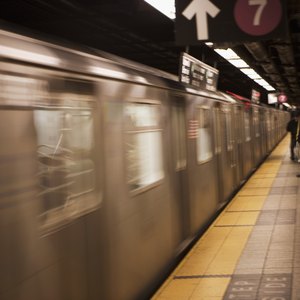


New York City will be phasing out its MetroCard in 2023, but might still honor cards with balances after that time, including those for seniors. After MetroCards are gone, you’ll still be able to pay electronically, using a credit or debit card, phone, smartwatch or MTA contactless Omny card. In the meantime, if you need to refill your senior MetroCard, you can do so easily online or in person.
Basics of Senior MetroCards
New York City’s MetroCard allows regular users of its transit system to use a prepaid card to access buses and trains. The benefit of an NYC Senior MetroCard is that you pay less – half the regular fare price if you are 65 years or older or have a qualifying disability. You’ll see the cards referred to as “Reduce-Fare Cards,” rather than “Senior Cards.”
If you use a service animal or mobility aid when you use public transit in New York City, such as a wheelchair, you can purchase a Reduced-Fare AutoGate MetroCard.
Read More: Can I Claim Public Transportation on My Tax Return?
Refill at a Vending Machine
When you’re using public transit, you can conveniently refill your MetroCard at a vending machine located on one of the platforms or at a station. Insert your MetroCard into the machine’s slot and follow the instructions to refill your card. You’ll be asked how much money you want to add, then how you want to pay (ATM card, credit card or cash). Some station machines don’t accept cash. If you use a card, you’ll need to enter your zip code.
You won’t pay the $1 first-time purchase fee when you reload a MetroCard. The machines only return $9 in cash, so don’t use a large bill to make a small purchase. As of October 2021, according to a note on the MTA website, the MTA was not allowing riders to refill their cards at station booths due to the pandemic.
Refill Using EasyPay
If you don’t want to have to remember your balance or have to manually reload your MetroCard each time it gets low, you can create an account to set up and manage an EasyPay account at this link. You will give the MTA your credit card or debit card information and when your card gets low, MTA will draft money from your credit or debit card and reload your MetroCard.
Your first deposit will be $30, and any time your card balance falls below $20, MTA will draft another $30 from your credit or debit card and add that amount to your MetroCard. MTA warns riders not to try and reload their cards at a regular MetroCard vending machine because the machine might damage an EasyPay card.
Read More: Budgeting Activities for Adults
Other Methods for Refilling
This page provides instructions for buying or reloading an MTA MetroCard at MTA’s mobile buses and vans, local retailers and even your employer, where might qualify for a tax deduction. MTA’s Mobile Sales Service Centers (buses and vans) visit senior centers and shopping centers, as well as traveling along major transit routes. You can find out which retailers sell cards at this MTA merchant location finder page.
Buy an Unlimited-Ride Card
Based on your MetroCard usage, you might want to sign up for a 30-Day Unlimited Ride card. Your initial deposit must be $127, so make sure you’ll spend that amount or more riding the MTA. At the end of the month, you’ll get a receipt reminding you that you’re about to auto-renewed for next month. Cancel if you don’t want to auto-renew.
References
Tips
- MetroCard vending machines can be used by seniors with disabilities. An audio feature is also available for visually impaired seniors.
- Seniors with credit or debit cards can enroll in the automatic refill option through the MTA's "EasyPay" program.
Warnings
- The large MetroCard vending machines return no more than $6 in change. The change is in coins, not bills.
Writer Bio
Steve Milano has written more than 1,000 pieces of personal finance and frugal living articles for dozens of websites, including Motley Fool, Zacks, Bankrate, Quickbooks, SmartyCents, Knew Money, Don't Waste Your Money and Credit Card Ideas, as well as his own websites.