Overview
America might be over 35 times the size of the UK, but as poorly-endowed men and sympathetic women are keen to point out: it’s not the size; it’s what you do with it. Granted, most things we’ve done with it have been distinctly unimpressive, but the consistent onslaught of bitter disappointment has had an unintended positive impact on the British people. We’ve developed a self-deprecating, eccentric national personality, and a sense of misplaced pride has come with it. Americans might be outspoken with their national pride, but the British simply listen with a wry smirk. Our stiff upper lip hides the truth: Brits think (and know) they’re better than the “Yanks” because...
- America might be over 35 times the size of the UK, but as poorly-endowed men and sympathetic women are keen to point out: it’s not the size; it’s what you do with it.
\#15 We get bacon right

American bacon is best described to a British consumer as overcooked streaky bacon. They take it from the belly, leaving them with nothing other than ridiculously thin, meat-starved bacon strips that self-respecting British chefs would only ever use to wrap up or cover a larger piece of meat. This is one of the saddest entries on this list, because Americans love bacon, but they don’t realise they’re doing it all wrong.
Related: How to make the perfect fry-up
\#14 We take care of sick people

Our system of “socialised” healthcare, the NHS, is one of the things British people are most proud of. In America, the system has been historically criticised, with propaganda complaining about long queues, excessive bureaucracy and jaded, uncaring doctors. It could be better, granted, but it works; if you’re seriously ill, you don’t have to re-mortgage your house to foot the bill and you’ll probably get better. We take care of our sick people.
\#13 We can laugh at ourselves

American pride is bafflingly intense to the majority of British people. Some Americans make fun of their country, but those same people will usually openly admire the British self-deprecating sense of humour. We laugh at ourselves almost as much as the rest of the world does. Americans generally don’t have the luxury. Serious mocking of America could leave you stuck in a heated argument with a drunken patriot with a shotgun in the “trunk” of his car.
- Related: How to make the perfect fry-up Our system of “socialised” healthcare, the NHS, is one of the things British people are most proud of.
- Some Americans make fun of their country, but those same people will usually openly admire the British self-deprecating sense of humour.
\#12 We don’t all have guns

Of course, all Americans don’t have (or agree) with guns, but there is no denying that the “right to bear arms” might as well be replaced with the “right to do more damage to one another in petty squabbles.” In the US in 2011, there were 8,583 murders using firearms in the US, whereas in the UK there are around 550 murders per year altogether. (ref. 1) You might argue that this is because the population is larger, but there are only five times as many people; the gun-related murder rate alone is over 15 times higher than the UK total.
\#11 The metric system is superior
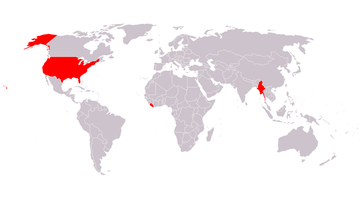
Americans love to complain about the metric system, but there’s a reason metres are the scientific (SI) unit of measurement for distance: it makes much, much more sense. All you need to do to think about small distances. 5 mm is a simple measurement, a whole number that is easy to work with both mathematically and practically. The imperial equivalent is 13/64 of an inch, or (if you like ridiculously long decimal numbers) 0.196850393701 inches. Yeah, it’s that stupid. Virtually everybody else in the world uses the metric system, leaving the map of countries using the imperial system essentially a map of countries too stubborn to admit when they’re wrong.
Related: Everyday fallacies (ab)used to insult your intelligence
\#10 We’re not quite as fat, yet

Compared to the rest of Europe, British people are pretty fat and unhealthy, but compared to America we’re virtually supermodels. America is awash with huge portions of delicious, fat-soaked food, and it shows in the obesity statistics. We just have the biggest proportion of obese people in Europe; America is the world-leader. Secretly, though, we all watch Man Vs. Food with a deep-seated envy – if we had American food, we’d have American fat too.
Related: Man Vs food challenges across the UK
\#9 We don’t expect tips

Tipping in the UK is relatively common in restaurants, taxis and a select few other establishments, but in the US it’s virtually seen as a right. Good luck getting served in an American bar if you don’t leave a tip after every drink. If you don’t tip a waiter in America, it’s virtually seen as an insult. In Britain, we get paid for our jobs and don’t usually expect anything else.
\#8 We aren’t afraid of swearing
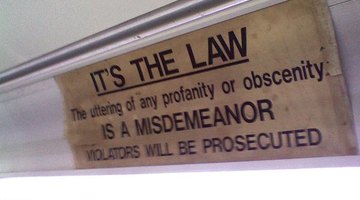
Swearing in public is pretty much expected in Britain, but in the US it’s a much less widely-practiced art. American TV viewers complain of excessive censorship of programmes, and the C-word is still absurdly taboo in their society. It’s pretty much the only swear word that can still offend people in the UK, but it’s a complete social no-no in the US. We aren’t afraid of swearing, even Chaucer and Shakespeare had fun with the word.
Related: The worst Brit abroad habits
\#7 Our music is superior

America has produced some fantastic music, but the musical landscape wouldn't be the way it is today without the pioneering British acts of the mid 60s. The Beatles, the Rolling Stones, the Who and the Kinks made serious waves in the US, prompting less talented garage rock bands like the 13th Floor Elevators to try and replicate their style in the late 60s, thrashing out three-chord songs in their garages and irritating neighbours across the country. In the 80s, the New Wave of British Heavy Metal saw bands like Iron Maiden flourish over the pond, yet again inspiring US bands like Metallica. America might have done well with music, but some of the most iconic eras have been inspired by us Brits.
- Related: The cheapest places to live in the UK Swearing in public is pretty much expected in Britain, but in the US it’s a much less widely-practiced art.
- The Beatles, the Rolling Stones, the Who and the Kinks made serious waves in the US, prompting less talented garage rock bands like the 13th Floor Elevators to try and replicate their style in the late 60s, thrashing out three-chord songs in their garages and irritating neighbours across the country.
Related: 10 Classic rock albums you must own
\#6 We’re better at queuing

British people are famous for our queuing ability. It’s hard to find anywhere else in the world where the default mass response to numerous people attempting to do one thing (like get on a bus) is to form an orderly queue. Americans do “wait in line,” of course, but it’s a polite activity the British take special pride in. We are the best at politely and passive-aggressively waiting to do something.
Related: 7 Modern behaviours as explained by evolutionary psychology
\#5 Our comedy is better
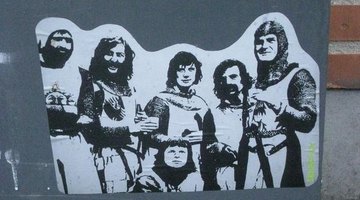
This is a difficult one to call if you’re being objective about it, but British comedies do seem inherently better than their American alternatives. Things like Monty Python, Spaced, Red Dwarf, the Inbetweeners, Blackadder, Peep Show, I’m Alan Partridge and countless other British comedies are arguably superior to their American counterparts. Many relate this to the self-deprecating nature of British humour, but it is ultimately down to personal taste. The Office is a great example – a comparatively short British comedy series, which was well-remade for a US audience. You could easily prefer either, but proud Brits would argue that the original has more subtle, realistic and cutting humour.
Related: 10 Best Monty Python moments
\#4 We have a rich history

America was essentially a European colony up until the Revolutionary War in 1776, and as such, modern Americans (or broadly, European descendents) don’t have a particularly long history to celebrate. Anything analogous to Stonehenge in America would have to be a relic from Native American civilisations, unlike in Britain, where we have a long history full of murderous and insane monarchs, pagan belief systems and brutal conquests over indigenous people all over the world.
Related: 9 Real-life James Bonds
\#3 We don’t care about Jay-walking

“Jay-walking” is something British people almost uniformly learn about from American TV. The notion that you aren’t allowed to cross the road aside from at pre-approved points is absurd. The system in America works well, with dedicated crossings at virtually every corner, but in Britain we cross the road like adults: however we like.
Related: Get out of jail free card: Things you didn't know about the law
\#2 We know how to drink

Americans who come to the UK often complain that everybody seems to be an alcoholic. Whilst we do generally abuse alcohol as a nation, at least we have tolerance. We drink pints of strong lager, not cans of light beer, and whisky takes precedence over bourbon. We look like drunkards to Americans, but to us, the Americans just can’t handle their drink. An important concession in this area, however, is that American bars are arguably better than British pubs – they might not have the traditionalist appeal, but free-hand spirit pouring, regular top-ups, overly polite staff and friendly patrons means you’ll always have a good time in an American bar. Everyone will just be drunker than you.
Related: Best British drinking games
\#1 We understand tea
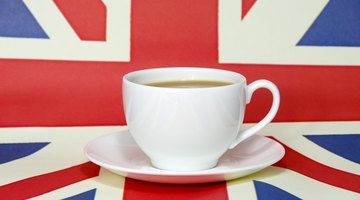
Coffee is the big thing in America, so it’s not right to criticise the quality of the tea they drink. However, we understand both tea and coffee well enough to make a good cup, as a nation. An American might not be impressed with the quality of our coffees, but they’ll at least get pretty much what they expected when requesting a cup. In America, if you ask for tea and don’t specify that you want milk, you’ll probably get a wedge of lemon and some honey on the side. We do tea better than anybody else, but especially better than the Americans.