

Why Is the Top of My Bread Sinking in the Bread Machine?

Fresh, homemade bread normally takes extra time and effort for proper kneading and baking. Bread machines do the hard work for you, but make it harder to check if the ingredient mixture is correct by feeling the texture of the kneaded dough. If your bread machine produces sunken or collapsed loaves, try adjusting the ingredient ratios.
Too Much Yeast
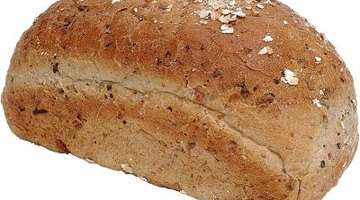
Yeast creates air bubbles as it consumes sugar in the bread dough. These gases cause the bread to rise and create a light, soft texture. When you add too much yeast to the dough in your bread machine, the top of the bread loaf collapses during the baking cycle because too much gas is produced. Bread made in bread machines is more susceptible to improper yeast levels because of the heated rising cycle that stimulates the yeast.
Over-Rising
The rising cycle that each bread machine uses after kneading the dough gives the yeast time to consume sugars and produce gas. When the bread rises too much, the top often collapses. Even if yeast levels are correct, a long rising period creates excess gas that prevents the bread from staying firm enough to support the top of the loaf. Try adjusting your bread machine for a shorter rise cycle to eliminate collapsed loaves.
Excess Liquid
Adding liquids to the dough stimulates gluten growth. Gluten is a stretchy protein that makes bread chewy. Add only as much liquid to the bread machine as your recipe calls for; excess gluten growth will stretch the loaf too much and lead to a sunken in top. Bread machine recipes often call for high-gluten flour to help overcome the limited kneading, but these flours will lead to collapsed tops if you don't adjust the liquid levels to compensate.
Low Temperatures
Bread machines offer different settings for the various types of bread. Some types require a higher baking temperature to produce satisfactory results. Sinking loaf tops result from low baking temperatures because the interior of the bread doesn't become firm enough to support the crust as it dries and grows heavy. Bake a test loaf at a higher temperature setting. If this fixes the problem, your bread machine's pre-programmed settings do not match your chosen recipe.
Writer Bio
Jessica Kolifrath is a competent copywriter who has been writing professionally since 2008. She is based in the Atlanta area but travels around the Southeastern United States regularly. She currently holds an associate degree in psychology and is pursuing a bachelor's degree in the field.
Photo Credits
- Zedcor Wholly Owned/PhotoObjects.net/Getty Images
More Articles

