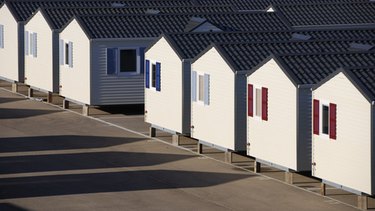
Footers and piers create the foundation that will support your mobile home once it is placed on a lot. Typically, the footers are made of concrete and the piers are cinder blocks that are stacked and fastened with mortar. The footers, which provide a solid base for the piers, are often preformed concrete that you simply set in place. The piers will be built to the height of the mobile home frame to provide support to the floors.
Step 1
Place preformed concrete footers in the ground under where the steel support beams of the mobile home will land. Place footers no more than 10 feet apart. Perimeter footers need to be located no more than 2 feet from the exterior walls of the mobile home. Space footers less than 10 feet apart in areas that will bear heavy furniture, such as couches, beds and dining room tables.
Video of the Day
Step 2
Build the piers out of cinder blocks to create a 16-inch square on top of the footers. Do not place the cinder blocks on the ground surrounding the footer as this defeats the purpose of using a footer to prevent weather shifting. Use mortar between all cinder blocks to provide additional support to the structure. Continue building the pier until it is at the height of the mobile home frame. As you build the cinder block piers, alternate the direction of the two blocks on each level of the pier.
Step 3
Use a level to make sure the pier will provide a flat surface for the mobile home to rest on. Measure all piers to make sure they are the same height. Make a note of any piers that will need to be capped with a thicker piece of lumber to make them level.
Step 4
Place two lengths of two-by-eight pressure-treated lumber side by side on top of the concrete piers to cap the footer-and-pier system. For additional support, apply construction adhesive to the top of the cinder blocks before laying the boards on top.
Video of the Day