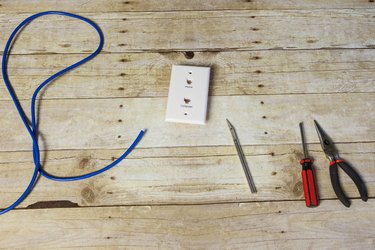
DSL subscribers may expect a phone company to install appropriate jacks in their household, but this is not a requirement. It's cheaper to do the wiring yourself, and it's not difficult. Phone lines consist of four-strand wires, including two transmit and two receive frequencies. Newer installations often use Ethernet cables, which still use the same two frequencies but also have extra wires for forward compatibility. A DSL jack is identical to a phone jack, except that the extra transmit and receive wires are connected.
Step 1
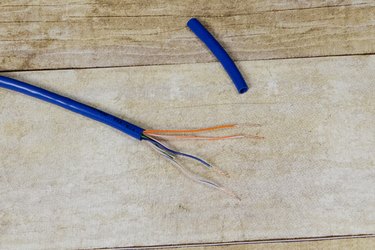
Use a knife or stripper tool to gently cut the outer cable's casing and strip the phone cable about 2 inches from the end. Strip each of the four smaller wires as well.
Video of the Day
Step 2
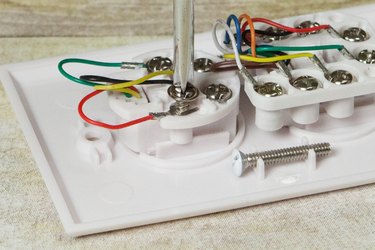
With the screwdriver, unscrew a screw on the jack just enough that the wire will fit in the groove. Note the color label of the screw.
Step 3
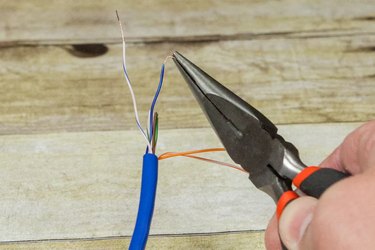
Bend the wire of the corresponding color so that it will hook around the screw. A pair of needle nose pliers makes this very easy.
Step 4
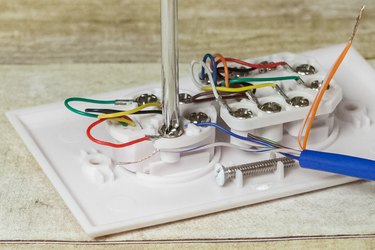
Tighten the screw with the screwdriver so that the wire stays in place.
Step 5
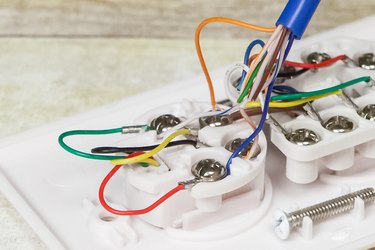
Repeat steps 2 through 4 until finished with all four wires. If the jack is a wall jack, screw the wall plate into the wall, and connect either a telephone or a DSL modem to the port.
Video of the Day