
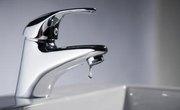
Total dissolved solids (TDS) refers to any compounds left in the water after normal treatment and filtration. Particles are filtered through a fine filter, usually to 0.45 microns, to remove the suspended solids. What remains in the water after filtration are typically charged atoms or molecules called ions. Usually these are ions such as calcium, sodium, potassium and magnesium, although some organic salts may be present as well. Although water softeners are a common way to remove some TDS, reverse osmosis is a much more effective method of removing TDS from drinking water.
As reverse osmosis systems have become more common the prices have come down and they are readily available in most home improvement stores. While they cost more initially, they are more effective at removing total dissolved solids than cheaper solutions, such as pitchers with a water filter built in.
Select and purchase the desired reverse osmosis system.
Turn off the water that feeds the area where the reverse osmosis system will be used.
Install the reverse osmosis system per the instructions for the specific system you have purchased.
Cycle the reverse osmosis system and make sure that it is functioning properly.
Tips
References
About the Author
Michael Rytting has been writing since 2011. His professional interests focus on materials, especially plastics. He also has experience in metal refining and processing. He received a Bachelors of Science in chemical engineering from Brigham Young University and has been issued a U.S. patent.
Photo Credits
Michael Blann/Digital Vision/Getty Images