Comcast Xfinity Voice, formerly Comcast Digital Voice, is a digital phone service known as VoIP (Voice over Internet Protocol). Using an internet connection, Xfinity Voice provides a clearer international call service and many advanced features, such as caller ID, readable voicemail and blocking. If you download the Xfinity Connect app, you can also take advantage of unlimited talk and text on mobile devices.
Video of the Day
Xfinity Voice Equipment Requirements
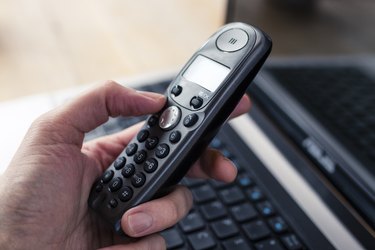
The minimum equipment requirements for Xfinity Voice are a telephone handset and electrical outlets. You can connect handsets directly to a Comcast wireless gateway device or to inside wiring and jacks. Comcast wireless gateways offer the functionality of a Wi-Fi router with cable and voice modem in a single device. Phone handsets have to adhere to Federal Communications Commission Part 68 rules and regulations, be in good working order and support touch-tone dialing.
Video of the Day
Your electrical outlets must comply with current state, local and national codes and have a circuitry capacity of at least 15 amps. You cannot share electrical outlets with more devices than the safety guidelines allow. The inside wiring and jacks must comply with currently acceptable industry standards for telephone service wiring and be in good working order.
If you want to connect more than one corded phone or wireless base unit directly to your modem or connect a phone and modem/wireless gateway to the same wall jack, you must use a phone splitter.
Setting up Xfinity Voice
To set up Xfinity Voice, you need an Embedded Multimedia Terminal Adapter telephony modem (a combination cable modem and telephone adapter). If you have a compatible EMTA modem, you don't have to use a wireless gateway. If you want to set up Xfinity Voice on cordless phones, you can plug a cordless phone main base unit into the back of your modem.
Xfinity Voice Troubleshooting Tips
If you don't have a dial tone with your Xfinity Voice service, check if the phones are on the hook and that you charged the cordless phone batteries. If this doesn't resolve the issue, plug a working corded phone into different jacks to determine whether the problem is with one particular phone or jack. Plug the phone into your Xfinity Voice modem to find out if the problem may be because of your home's wiring.
When making calls, make sure you dial one before the area code. Follow Xfinity guidelines for international calls. For international calls outside of the North American Numbering Plan (NANP), dial 011, enter the country code, then dial the number. If you need help connecting your call, dial zero or 00. For calls inside of the NANP (such as Canada and some Caribbean countries), dial 011, enter the area code, then dial the number.
Most equipment works well with Xfinity Voice, but some phones and caller ID units have a high probability of errors, including certain Bang & Olufsen, AT&T, GE, Motorola and Uniden models.