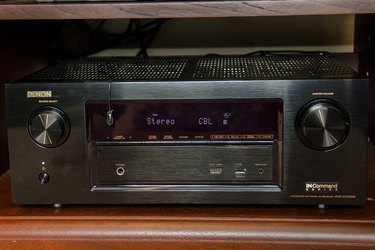
Denon audio receivers connect various audio components to speakers and subwoofers. They are often used to coordinate the different pieces of a home theater system. The receiver gives you great flexibility in programming your own custom options and settings. If your receiver malfunctions and you cannot troubleshoot the problem, it may be easiest to simply reset the memory to the factory defaults and start over.
Step 1
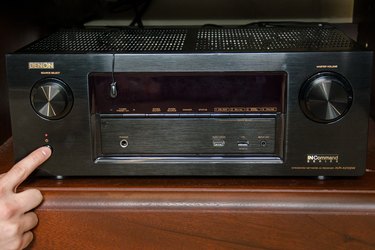
Press the power button to turn off the receiver. Using the remote control to turn it off only places the receiver in standby mode. You do not need to disconnect your speakers or unplug the unit. Check the lights on the front panel to make sure the receiver is completely turned off.
Video of the Day
Step 2
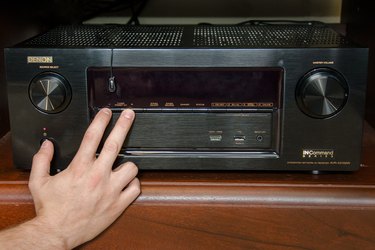
Consult your owner's manual to find the reset procedure for your specific model number. The instructions are similar for all Denon receivers, but the two buttons you press to start the process may be different for each model. For example, if you have a Denon X4000 receiver, press and hold the "Info" and "Back" button while pressing the power button. For the E200, press and hold the "Source Select 0" and "Source Select 1." The AVR-1312 uses the "8" and "9" buttons, along with the "On/Standby" button to reset the microprocessor. You may have to open a panel on the front of the receiver to access these buttons on some models.
Step 3
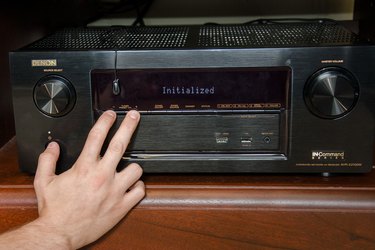
Wait for the display to start flashing and release the buttons. If you do not see the display flashing at approximately one second intervals, return to Step 1 and repeat the process.
Step 4
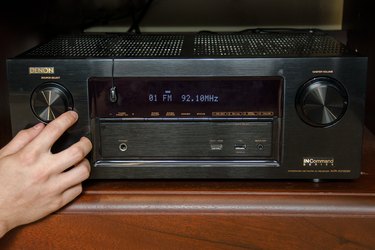
Turn the receiver's power back on. Check your radio presets to make sure the memory has been erased. You should see several random frequencies stored in the presets instead of your custom settings. Follow the prompts on the display screen to go through the setup process again and reprogram your settings.
Video of the Day