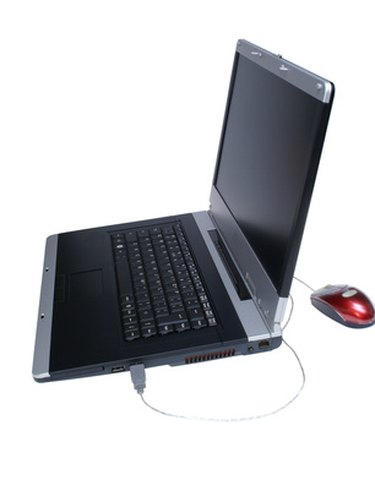
A loose laptop hinge can cause a plethora of problems. The wobbly screen can be difficult to view, the laptop may be harder to close or open, and it’s even possible that the LCD screen could detach from the laptop after repeated strain on the loose hinge. Luckily, you can fix a loose laptop hinge within just a few minutes, provided you follow the right steps.
Step 1
Unplug your laptop and remove the battery. Battery removal should precede any sort of laptop disassembly or repair. If you tinker with a laptop that has a working power supply, you risk electric shock.
Video of the Day
Step 2
Inspect the laptop’s keyboard cover to see if it is held in by any screws. The keyboard cover is a thin strip of plastic that covers up the small gap between the top of the keyboard and the bottom of the LCD screen. Most laptop keyboard covers simply snap into place, but a few brands and models may be screwed in. If you notice screws, you’ll need to remove these screws before continuing with Step 3.
Step 3
Use a small flat-head screwdriver to gently pry off the keyboard cover. The hinge cover may be attached to the keyboard cover. If the plastic hinge cover is not part of the laptop cover, then you’ll need to pry off or unscrew these individual hinge covers separately once the keyboard cover is removed.
Step 4
Locate all the screws on your laptop’s screen bezel. The screen bezel is just the small plastic frame that outlines the laptop’s LCD screen. On most laptops, the laptop bezel screws are housed underneath small rubber stoppers. These pieces of rubber can be pried out using a flat-head screwdriver, and then you can remove the screws underneath using a Phillips-head screwdriver.
Step 5
Tighten the laptop hinge’s screws. There will usually be two screws underneath the recently removed screen bezel and two additional screws underneath the keyboard cover. On most laptops, these will be Phillips-head screws. With the screws tightened, the laptop hinge should stop wobbling. If the hinge still seems loose, then there may be damage to the hinge itself. Search for any cracks in the hinge and apply some rubber cement to repair the damage.
Step 6
Reattach the bezel and snap the keyboard cover back into place after you’ve tightened the screws and mended any cracks in the hinge.
Video of the Day