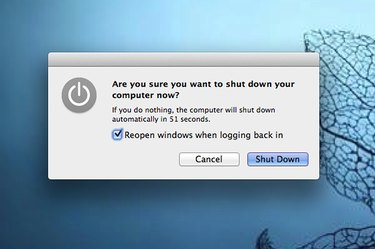
In most cases, when you need to reset a MacBook Air with OS X Yosemite, you can simply restart it by using the "Restart" option under the Apple menu. If this doesn't fix a problems with the computer's speaker volume, display resolution or startup disk selection, you may need to reset the PRAM. If the computer is consistently running slowly, or if the lights, fan or power button aren't working properly, you may need to reset its System Management Controller, or SMC. Since the MacBook Air has an internal battery that is not readily accessible, the procedure for resetting the SMC is a bit different than for MacBooks with removable batteries.
Resetting the PRAM
Video of the Day
Step 1
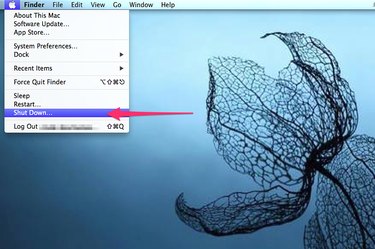
Save any unfinished work on your MacBook Air. Select "Shutdown" from the Apple menu.
Video of the Day
Step 2
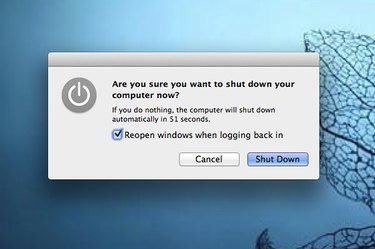
Click "Shutdown" in the confirmation window that opens. Close any open apps if prompted. Wait for the screen to turn black, indicating that the computer has completely powered down.
Step 3
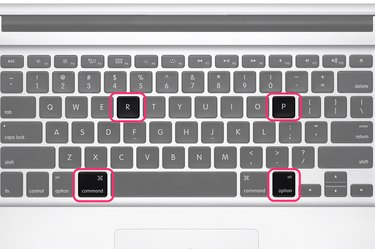
Press the Power button to turn the MacBook Air back on and then immediately press and hold "Command-R-Option-P" before the gray screen appears. Release the keys after you hear the startup sound two times. This process resets the PRAM.
Resetting the SMC
Step 1
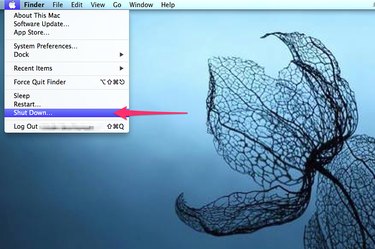
Save your work and turn off the MacBook Air by selecting "Shutdown" from the Apple menu, then click the "Shutdown" button that appears.
Step 2
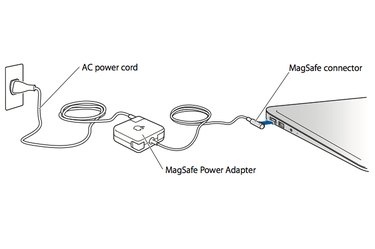
Connect the power adapter to an active power source and plug the connector into the MacBook Air. Note that the light on the connector turns on when it is properly connected.
Step 3
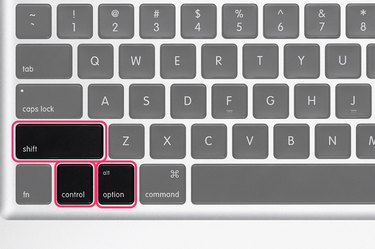
Press the Power button and "Shift-Control-Option" on the left side of the Macbook Air's built-in keyboard all at the same time. Wait a second and then release the keys and the power button at the same time. Press the Power button to turn the MacBook Air back on. This resets the SMC.