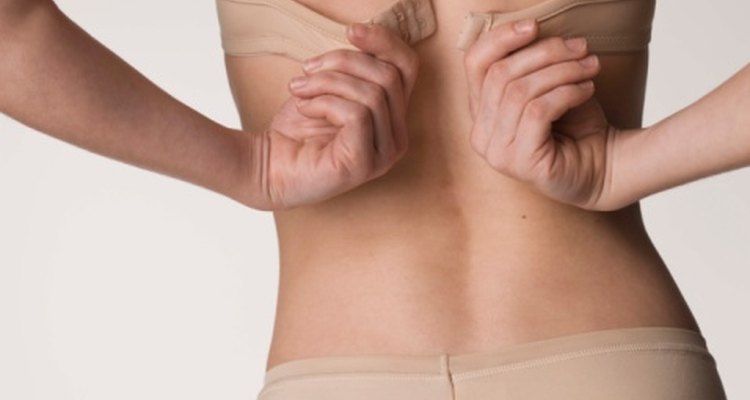
It is almost inevitable that as time passes, the fabrics in clothes begin to deteriorate. This is especially true of bras. The more you wear and wash them, the faster they fall apart. Arguably the worst part in the process occurs when the underwire rips through the fabric and starts poking out. Though there's no way to stop the wires from one day ripping through the fabric, but there are ways to repair bras and extend their life span.
Slide the underwire back into place through the ripped opening. Give yourself some slack and push the wire back in as far as it will go, leaving as much room as possible on the side you will be sewing.
Secure the ripped opening with some fabric glue for added stability. The underwire can slip out of the tiniest opening, and the glue will cover a larger surface area than the thread alone. Let the glue dry for a few minutes before proceeding.

Thread the needle and sew the area where the rip occurred. For smaller rips, you will need about 10 stitches and about double that for large rips. You may want to extend the sewing area around the rip itself for extra security.
Secure the thread in place with an additional drop or two of fabric glue. The glue should fall relatively flat as it dries, but if not, you can use a nail file to smooth the glue drops.
Related Articles

How to Replace a Broken Underwire

How to Add Elastic to the Ends of Pants ...
Repairing Ripped Jeans Without a ...

How to Make Stirrups for Jeans
How to Make a Scalloped Lace Crop Top

How to Replace a Broken Underwire

How to Gauge Your Ears Without Tapers

How to Make a Satchel

Is There Anything to Use to Make a ...
How to Decorate Your Knitted Scarf
How to Replace a Missing Button
How to Fix a Rip in the Armpit of a ...

How to Hand Sew a Tear in Pants
How to Get Cigarette Burns Out of Fleece

How to Make the Band Around My Stomach ...

How to Replace Shirt Buttons With Cuff ...

How to Extend a Neck Hole on a Hoodie
How to Keep the Elastic in a Waistband ...
How to Repair Holes in Cashmere Sweaters

How to Fix Thong Sandals
References
Tips
- Hand washing and air drying your undergarments will extend their lifespan. A fabric bag can also help extend the life of bras that are machine-washed.
Writer Bio
Shelley Marmor began writing professionally in 2003 for "The Seminole Tribune," the official newspaper of the Seminole Indian Tribe of Florida. She has also had published articles in "The Central Florida Future" and on websites including HighBeam and Greek101.com. She earned a Bachelor of Arts in journalism from the University of Central Florida in Orlando, Fla.
Photo Credits
Jupiterimages/Polka Dot/Getty Images