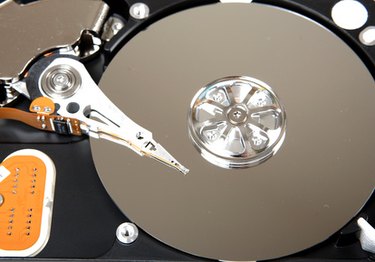
Reformatting a personal computer (PC) refers to a process performed on the hard drive in which you completely wipe the hard drive of all information. In many cases, this takes the hard drive back to the settings and programs that came with the computer from the factory. Since this procedure removes all of your files and any software you have installed after purchase, it should only be done as a last resort, such as when a virus can't be removed or there are severe operating issues with your PC. Reformatting can often alleviate these issues.
Step 1
Back up everything on your PC you don't want to lose. This includes any software you've installed since the purchase of your PC and any files you've created. There's no need to worry about backing up software you can download from the Internet. Purchase as many blank CD-R discs as you will need and burn everything on these discs, and then label them so you will be able to re-install and replace files after reformatting your PC.
Video of the Day
Step 2
Insert the original factory disc that came with your computer. If your computer was new and didn't come with a disc, click on the "My Computer" icon and look for an icon called "Factory Image." Many newer computers don't ship with a back-up disc and place the information on the hard drive. If you insert the original disc, reboot your computer to bring up the reformat disc options. If you are using a factory image on your computer, double click the factory image disc located under "My Computer."
Step 3
Select the reformat option from the list of options. Depending upon your computer brand, you may be offered options to re-install or reformat specific elements. These are considered non-destructive. Select "Restore to Factory Settings" or "Reformat" to perform a destructive reformat to your PC. Since you backed up all of your files and software earlier, this is now the course you want to take.
Step 4
Stay by your computer during the reformatting process. Most of it takes place automatically, but Windows will ask a few set-up questions after the reformat has been completed, such as what you want to name your computer, serial number, etc.
Video of the Day