

How to Reseal the Tile in a Shower

You can save a lot of money by repairing and refurbishing your shower yourself. Once the tiles and the grout between the tiles have been cleaned, reconditioned or repainted, it is imperative to seal the entire shower wall. Shower tile that is not sealed correctly is vulnerable to water damage. Shower tiles are made of different materials, but most of them are ceramic. Seal shower tile by preparing the surface and then applying a ceramic sealer.
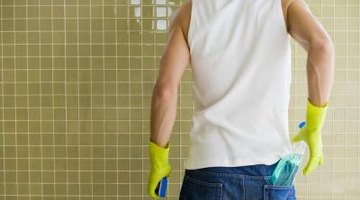
Step 1
Clean your tile with warm water and a sponge. You don't want any dirt trapped under the sealant.
Step 2
Check to make sure the grout is completely dried and cured in order to avoid sealing in any moisture.
Step 3
Apply a ceramic sealer to the tile with the directions listed on the label. Start at the top of the shower and work your way down. Seal the grout in between the tiles.
Step 4
Clean up any excess sealant with a wet rag before it dries.
Step 5
Let the sealer dry to give it time for it to be absorbed by the grout. Check the recommended drying time on the label of your sealant.
Step 6
Apply two more coats of sealant. Allow the recommending drying time between each additional coat.
References
Resources
Tips
Writer Bio
John Smith is a writer with over 30 years experience. He has worked at a newspaper, various magazines and websites, and he has interests in a wide range of subjects including sports, politics and entertainment. Smith earned a bachelor's degree in history from the College of New Jersey.
Photo Credits
- Jupiterimages/Polka Dot/Getty Images
More Articles

