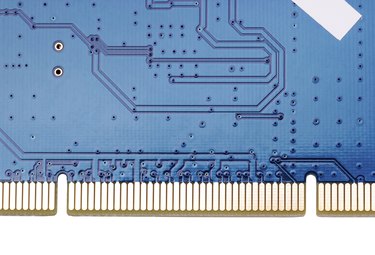
The Peripheral Component Interconnect or PCI is a computer bus designed by Intel. The PCI bus serves as a connection between your computer's motherboard and any connected hardware, transmitting data and power between your computer and the device. PCI hardware comes in the form of cards and was very common for some time. However, the release of its successor PCI-Express has made PCI cards a less effective and uncommon choice.
Hardware Interface
Video of the Day
PCI refers to both PCI slots on the motherboard and the PCI hardware cards themselves. The slot serves as a plug-and-play interface for your hardware, enabling quick installation without the need for cables or switches. Store-bought or pre-assembled computers have several dedicated PCI slots already occupied by equipment, as well as several free slots for adding new equipment later. Existing devices can be replaced as part of an upgrade, so long as the new device is compatible with the computer and the PCI bus.
Video of the Day
PCI Devices
PCI slots are occupied by a diverse lineup of devices. Some common examples include modems and network cards, as well as sound and video cards. Controllers for connector ports like USB, Firewire and HDMI can also be connected via PCI, expanding the number of devices you can connect to your computer. PCI devices are usually sold with driver software, or have drivers available online for download. This software enables the computer and device to communicate, so it's an absolute must.
PCI-Express
PCI-Express is a newer bus, based on the PCI standard but featuring faster connections and better bandwidth. PCI-Express cards also differ from regular PCI cards in that they are available in various implementation sizes: 1x, 4x, 8x, and 16x. Implementations marked with a higher number are proportionally faster than a standard PCI-Express, which qualifies as a 1x. Each implementation has its own slot size, so you'll need to make sure you actually have a matching slot before installing anything larger than a 1x.
Installation Requirements
Before you attempt installation, make sure the computer is shut down and unplugged to prevent an accidental electric shock. To install a PCI or PCI-Express card, you need an open slot available unless you're replacing an already connected device. PCI cards need to match the their slots, so a 32-bit slot requires a 32-bit card and a 64-bit slot requires a 64-bit card. Cards that have external elements, like connector port controllers, need to be installed somewhere on the motherboard where they can access a hole on the back of the computer's case.