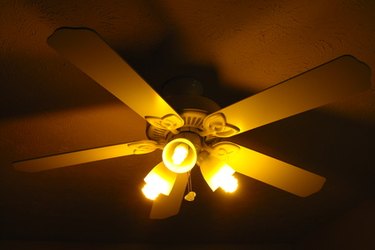
Sometimes the light kit on your ceiling fan stops working. Sometimes it quits working with the decor in your room. Whatever your reasons for wanting to remove the light kit from a ceiling fan, you can do it without removing the ceiling fan from the ceiling. This minor change can be done to your ceiling fan without interfering with the way it operates. Removing the light kit from the ceiling fan also allows you the put a new one in its place.
Step 1
Turn off the breaker that supplies the electricity to the ceiling fan at the main electrical panel.
Video of the Day
Step 2
Remove the light kit housing from the bottom of the ceiling fan. This part will be attached by three or more screws, remove it to access the wiring for the light kit.
Step 3
Disconnect the white wires from the light kit. Locate the white wires that are connected together in the light kit wire housing. One wire is connected to the ceiling fan and the other is connected to the light kit. Untwist the wire nut that is holding these two wires together. Place the wire nut back onto the white wire in the light kit wire housing that is permanently connected to the ceiling fan. Placing the wire nut back onto the single white wire safely covers the bare end of the wire. Secure the wire nut to the white wire with electrical tape.
Step 4
Disconnect the black wires from the light kit. Locate the two black wires that connect together in the light kit wire housing. One wire is connected to the ceiling fan and the other is connected to the light kit. Disconnect these two wires like you did with the white wires by untwisting the wire nut. Replace the wire nut onto the black wire that is permanently connected to the ceiling fan, safely covering the bare wire. Secure the wire nut to the black wire with electrical tape.
Step 5
Remove the light kit from the light kit wire housing cap using pliers to remove the nut from the threaded rod that is holding the light kit to the cap. Pull the light kit off of the cap. Plug the knockout in the light kit cap with a ½-inch knockout plug.
Step 6
Attach the light kit wire housing cap to the ceiling fan. Once your light kit is removed from the wire housing cap it is now used to cover the light kit wire housing. Use the screws from step two to attach it back to the ceiling fan.
Step 7
Turn the power on to the ceiling fan by turning on the breaker that supplies the electricity to the fan at the main electrical panel.
Video of the Day