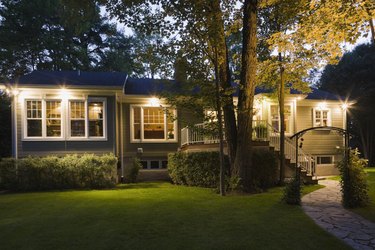
They are more than a convenience or a light source. Motion light sensor lights can increase the security of your home by clicking on and off as you enter a dark entryway or alert you to someone walking up to a home. They also create ambiance in a room or an outdoor space. Although they are a great choice for a light source, they can be a bit confusing to operate indoors or out.
Types of Motion Sensor Lights
Video of the Day
There are two main types of motion sensors available for homeowners to install in their indoor and outdoor spaces. Indoor lights, which are mainly used for assisting with midnight moves, such as trips to the restroom or to the refrigerator door, can be recessed or hidden so they are not as noticeable and bright as outdoor motion sensor lights. They use infrared radiation – or body heat – to detect when something is approaching the space large enough to have the sensor tell the light to illuminate the space. They can be set so that small dogs or cats don't trip the light each time they pass by or underneath the motion sensor and waking their owners inadvertently. Outdoor motions sensor lights, on the other hand, are large and have small radar generators that can detect large objects approaching from a wide area that is prechosen by the owner.
Video of the Day
Disabling Motion Sensor Lights
Sometimes you simply aren't in the mood to tangle with the on and off clicking of motion sensor lights. Most manufacturers make it a fairly easy process to disable this main feature of the lights. A switch on the fixture should read "on time," usually found directly under the motion sensor. Set it to any position, aside from the test position, and flip off the switch that the light is connected to. If you are unsure, find the switch by testing all the available switches before you fiddle with the "on time" button. Once the flip is off, switch it back on immediately. This gives you control of the light at the switch rather than when walking underneath or in front of the light.
Restoring the Motion
If the control at the switch isn't giving you the satisfaction you expected and you want to get the action back in your motion sensor lights, don't fret. The manufacturers have made it a simple process. Locate the switch that controls the motion sensor light, then flip it off and on quickly. This rapid flip of the switch tells the light to put the motion back in its function.