Instructions on How to Connect to an RF Modulator

Instructions on How to Connect to an RF Modulator thumbnail
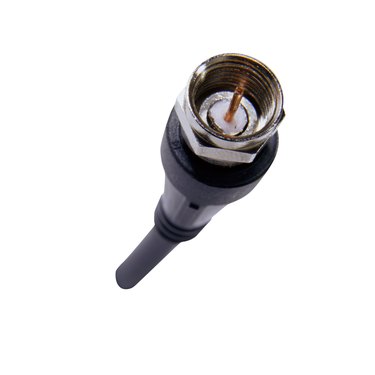
Connect composite cables like these to an RF modulator for hooking up to older equipment.

An RF modulator converts a coaxial cable signal into three separate, composite audio-video signals for connecting modern AV components. The modulator makes it possible, for example, to connect an older TV with a coaxial input to a DVD player with composite output jacks. The setup requires one coaxial cable with couplers on each end and a composite AV cable with three connector plugs on each end.

Instructions

    • 1

      Connect one end of the coaxial cable to the threaded jack on the RF modulator and turn the cable coupler clockwise to secure it to the jack.

    • 2

      Attach the other end of the cable to a coaxial input jack, such as the jack on an older TV.

    • 3

      Plug the red, white and yellow composite cables into the matching color jacks on the RF modulator.

    • 4

      Connect the plugs on the other end to an AV device such as a DVD player.

    • 5

      Insert the DC power plug into the electrical jack on the RF modulator and connect the other end to a wall outlet.

    • 6

      Turn on the equipment and tune the TV to channel 3 or 4, depending on the model. The signal from the DVD player or other AV device will appear on the screen.

Tips & Warnings

  • Some modulators may be equipped with a second video socket called S-video, which is round and contains four pin holes in the socket. If the device connecting to the modulator has an S-video socket, use an S-video cable to connect the modulator to the device for a better picture, instead of the yellow composite video plug.

  • Hook up the RF modulator to the AV components before plugging into the electricity.

Related Searches:

References

  • Photo Credit cables in hand image by timur1970 from Fotolia.com

Comments

You May Also Like

Related Ads

Featured