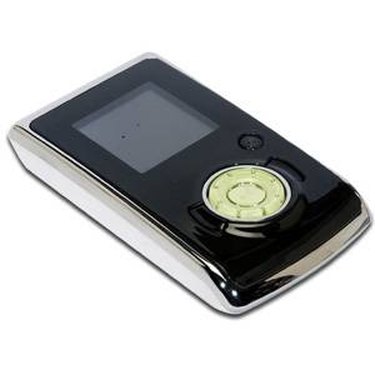
RCA makes a variety of MP3 players in different shapes, colors and configurations. Most are flash-memory based, but some have hard drives. Either way, putting music onto your RCA MP3 player is the first step to enjoy listening to portable digital music.
Step 1
Turn on your computer. Connect your RCA MP3 player to your PC via the USB port. Power on your RCA MP3 Player.
Video of the Day
Step 2
Open up Windows Media Player. Click on "Sync." On the right-hand pane, you should see your RCA MP3 player and any songs or files it may already contain. On the left side are songs, albums and playlists stored on your computer.
Step 3
Click and drag any files from your computer (left pane) to the RCA MP3 (right pane) that you want to add to your RCA MP3 Player.
Step 4
Wait until the transfer is finished and then disconnect your RCA MP3 Player using the "Remove Hardware Safely" feature.
Step 5
Turn on your computer. Connect your RCA MP3 player to your PC via the USB cord. Power on your RCA MP3 Player.
Step 6
Click on "Open folder to view files" when it pops up or click on my computer and select the RCA "drive."
Step 7
Transfer music. A folder will appear containing all music files on your RCA Player. Click and drag any music files from your computer to this folder to add them to your MP3 player.
Step 8
Wait until the transfer is finished to disconnect your RCA MP3 Player.
Video of the Day