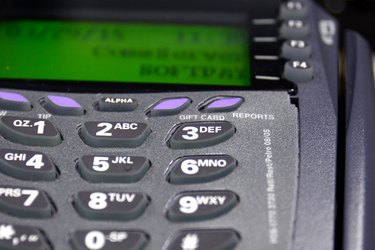
Placing a paper roll into a credit card machine can seem like a daunting experience at first, but once you get the hang of it, it should take less than a minute. Credit card machines alert you before you run out of paper, informing you that you need to get a new roll ready. When the paper gets low, a stripe appears, the color of the paper changes color, or both. While credit card machines may vary between models, the basic premise of installing a new roll into the machine stays the same.
Step 1
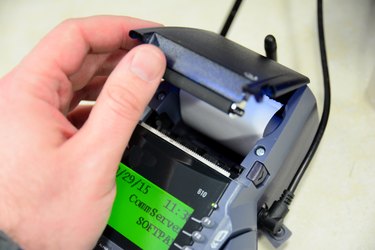
Open the credit card machine by pulling up on the sides of the machine to expose the paper roll compartment inside. Models may vary slightly. Stand-alone printers tend to have two indentations where you place your thumbs, so that you can pop the top open. All-in-one credit card machines usually have a lock that you must snap out of place before opening the compartment. Other machines have an open or similar button that you must press to access the compartment.
Video of the Day
Step 2
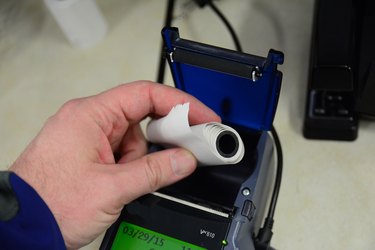
Pull the old roll up and out of the compartment toward the back of the machine. Machines that use a plastic roller to hold the paper roll in place generally rotate backwards. Some machines don't use a roller and simply allow you to drop the new roll in place.
Step 3
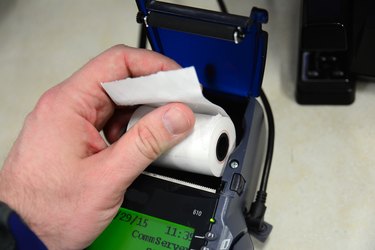
Remove the small piece of tape that holds the paper in place and unroll about one inch worth of paper.
Step 4
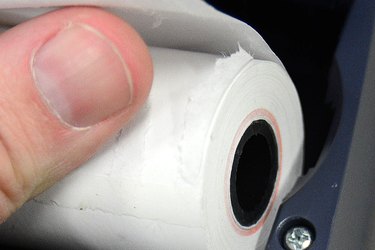
Place the paper roll onto the roller or put the roll directly into the machine, depending on the type of credit card machine you use. You want to place the roll so that the roll dispenses toward the back of the machine and feeds from the bottom of the machine, not the top.
Step 5
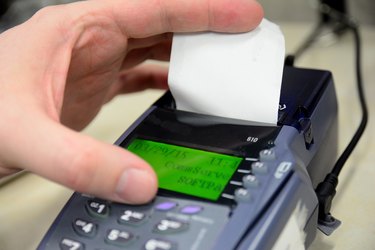
Guide the inch of paper that you unrolled through the roller or through the lid of the credit card machine. Each model varies slightly. Some models don't require you to insert the paper into a roller and rely upon rubber rollers that move the roll. Others require you to place the roll into a feeder that pulls on the roll when printing receipts.
Step 6
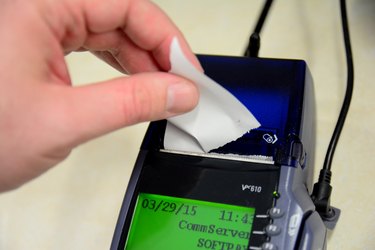
Close the lid of the reader and press the "Feed" button or a similar button to engage the paper roll and prepare it for printing. Tear off the extra paper when you finish.
Video of the Day