You can set whether or not to block pop-up windows in Apple's Safari browser through its Security Preferences menu. You can also block other annoying advertisements through third-party extensions or selectively allow advertisements from certain sites.
Blocking Pop-Up Windows in Safari
Set your pop-up blocking preferences in Safari's Security Preferences menu.
Video of the Day
Video of the Day
Step 1
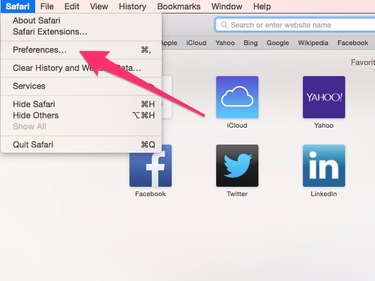
Click the Safari drop-down menu, then click Preferences.
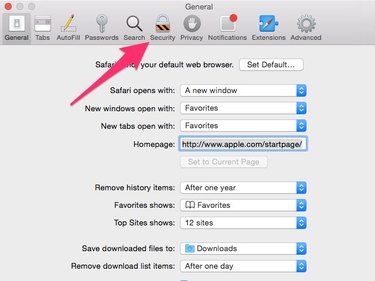
Step 3
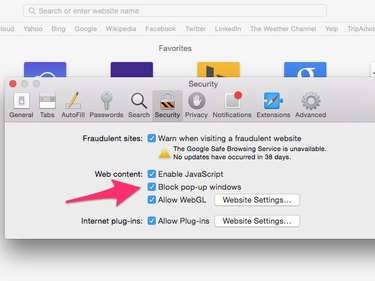
Within the Security tab, uncheck Block Pop-up Windows to set Safari to permit pop-ups. To block pop-ups, check the box.
Blocking Other Ads With Safari Extensions
You can install extensions to filter out other types of advertisements through Apple's Safari Extensions page.
Blocking Ads With AdBlock
The Safari extension AdBlock filters out many advertisements on Safari. You can also choose to selectively allow ads from certain sites if you enjoy viewing their ads or want to ensure that the sites' owners receive payment from their advertisers when you visit.
AdBlock is also available for Google Chrome. According to AdBlock's website, it's "the most-downloaded extension for Google Chrome and Safari."
Step 1
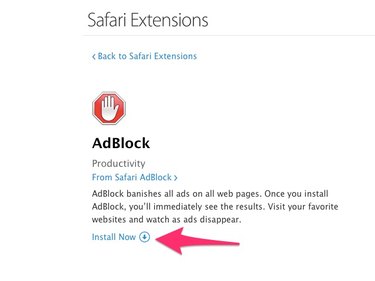
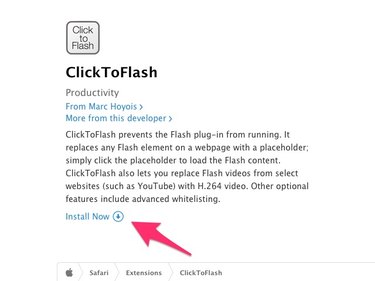
Visit AdBlock's page on the Safari Extension page and click Install Now to add the extension to Safari.
Step 2

Safari opens the AdBlock site, confirms that the extension is installed and invites you to make a contribution. Read the offer and decide whether you want to contribute and, if so, how much. Choose one of the payment options or close the tab.
Step 3
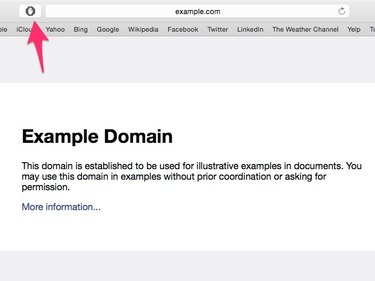
AdBlock now automatically filters out advertisements from most sites you visit. If you want to allow ads from a particular site, visit that site and click the AdBlock icon in the Safari toolbar to open the AdBlock menu.
Step 4
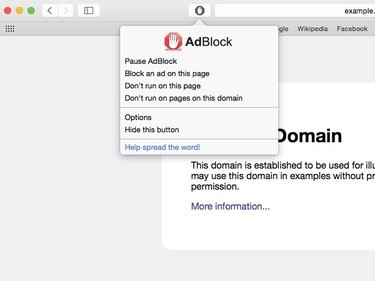
In the pop-up menu, choose Don't Run on This Page to allow ads from that particular webpage or Don't Run on Pages on This Domain to allow ads from any page on that site. Click Pause AdBlock to temporarily disable AdBlock and allow ads on any site you visit.
Blocking Flash Content With ClickToFlash
Some websites display obtrusive video ads using Flash or the websites use Flash to track visitors. You can use the ClickToFlash Safari extension to filter out these ads and other Flash content, while remaining able to view Flash videos at the click of the button and to allow Flash material from certain sites.
Step 2
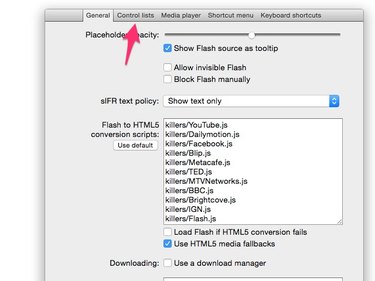
ClickToFlash loads its Preferences menu in a new browser tab. Click Control Lists to set which sites you want to enable for Flash content.
Step 3
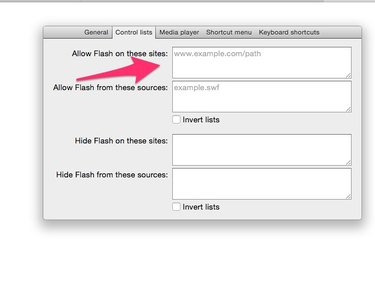
Type the addresses of any websites on which you want to allow Flash content in the Allow Flash on These Sites box, typing one address per line. When you are done setting preferences, close the browser tab.
Step 4
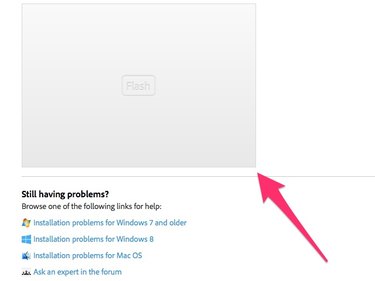
When you visit a website with embedded Flash content and ClickToFlash is enabled, the Flash content is replaced by a placeholder box labeled Flash**.** Click this box to download and play the content.