
General contractors, carpenters, electricians, plumbers and building inspectors use architectural drawings as an instructional and visual guide. This requires that the architectural drawings you create abide by architectural graphic and drawing standards.
One of the major considerations for a design-correct architectural drawing is scaling. The actual drawing must be scaled so that it is an accurate and proportional representation of the dimensions of the building. Additionally, the scale must be selected such that the drawing will fit neatly onto the paper you are drawing it on.
Drawing Layout
Determine the aspect ratio needed for the architectural drawing you are creating. Assume you are drawing a building that is shaped as a rectangular prism. Note the width, height and length of the rectangular building. Determine the aspect ratio with the length and width of the building if you are drawing a floor or roof plan. Do this by dividing the length by the width. Determine the aspect ratio of the width and height of the building if you are drawing a side elevation plan. Do this by dividing the width of the building by the height of the building.
Select the appropriate paper size. Use the aspect ratio calculated in the previous step to determine the approximate paper size you will need to create your drawing on. The paper you select should have an aspect ratio that is the same. Standard architectural drawing paper is available in a number of different sizes. Consider that you may have to cut the paper so that its aspect ratio will closely match the aspect ratio of the building. In general, architectural drawings are created on drafting paper that measures more than 24 inches on each side.
Draw a rectangle centered on the drawing paper called the border rectangle. Construct two diagonals from the corners of the paper. Where they intersect will be the paper's center. Use a ruler to draw the diagonals. Construct this border rectangle such that it has the same aspect ratio as calculated in step one. Ensure that the rectangle is constructed such that it will have a sufficient border between all four edges of the paper. The rectangle should have a border that is proportionally close to edge of the paper, often under an inch.
Draw a second rectangle centered on the drawing paper within the border rectangle. Call this the inner border rectangle. Draw this rectangle so that is has the same aspect ratio as calculated in step one. The edges of the inner border rectangle should be about two inches from the edges of the border rectangle. Use the area between the inner border and outer border to write any necessary architectural design notes or as framing space.
Draw a third rectangle centered on the drawing paper within the inner border rectangle. Called this rectangle the drawing area rectangle Draw this rectangle so that is has the same aspect ratio as calculated in step one. The edges of the drawing area rectangle should be at least one inch from the edges of the inner border rectangle.
Scale Determination
- Architectural drafting paper
- T-Square
- Architectural rulers
- Drafting pencils
- Drafting board
- Dividers
- Drafting triangles
Determine the scale of the drawing. Measure the length of the drawing area rectangle. Divide the length of the building by the length of the drawing area rectangle. This result is the scale needed. For example, if your building had a length of 100 feet and the length of the drawing area rectangle was 25 inches, your scale would be 4 feet per inch, since 100 divided by 25 is 4.
Create the architectural drawing. Place the lines that represent the edges of the building on the edges of the drawing area rectangle. Check that the length and width of the drawing area rectangle will scale to the length and width of the building. Multiply the length and width by the scaling factor to do this.
Place the inner plan details, such as doors, within the plan according to the scale that you calculated in step one of section two. If a doorway of a front elevation plan is 36 feet to the right from the left edge of the building, the door would be placed 9 inches to the right of the left edge of the drawing area rectangle, since 36 divided by 4 is 9.
Add the necessary dimension lines and the dimensions to each drawn building detail. Note the scale you used within the border area on the lower edge of the page. Follow conventional architectural and drafting standards for your drawing.
Things You'll Need
References
- Sizes, Inc.: Technical Drawing Paper Sizes in the United States
- Google Books: Architectural Drafting and Design; Alan Jefferis, David A. Madsen
- Google Books: The Professional Practice of Architectural Working drawings; Osamu A. Wakita, Richard M. Linde
- A4 Paper Format / International Standard Paper Sizes
About the Author
Mark Stansberry has been a technical and business writer over for 15 years. He has been published in leading technical and business publications such as "Red Herring," "EDN" and "BCC Research." His present writing focus is on computer applications programming, graphic design automation, 3D linear perspective and fractal technology. Stansberry has a Bachelor of Science in electrical engineering from San Jose State University.
Photo Credits
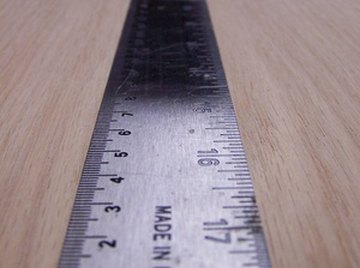
steel ruler image by dwags from Fotolia.com