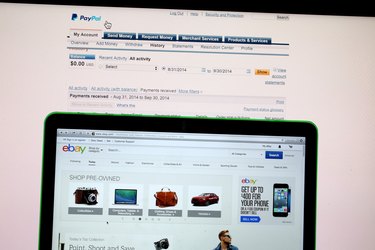
As one of the largest online payment services, PayPal offers ways to send and receive money on numerous platforms. The service's main outlet is its website, which houses all your account settings and information, but it also has a mobile site, two smartphone apps and direct integration with many online stores.
PayPal Website
Video of the Day
PayPal's website is the primary method of accessing your PayPal account. Visit the site in any computer Web browser and click Log In. Sometimes, you'll need to click Proceed to Account Overview on an ad page to reach your account. Once logged in, you can send or request money, check your history and change account settings. The site also hosts a message board for getting help from other users.
Video of the Day
Any time you need to change your account, check past receipts or get help, the website should be your first stop. It offers more features than any of PayPal's other venues.
PayPal Mobile Site
The mobile version of PayPal's site has most of the same features as the full site, although not all of the content is formatted to fit mobile screens. You can still reach the community message board, for example, but it uses the same layout as on a computer. The mobile site has all the primary account options -- you can work with your money and change settings such as your address -- but if you can't find the option you need, check the site from a computer instead.
To visit the mobile site, just browse to PayPal's usual address on a smartphone. The page automatically directs you to the correct version for your device.
PayPal App
PayPal's app for iOS, Android and Windows Phone serves as a convenient, though less fully-featured version of the mobile site. The app doesn't let you change most of your account settings, but you can send, receive, deposit and withdraw money. One of the app's major conveniences allows you to log in using your cell phone number and a PIN in place of your email address and password. To start, activate your phone on PayPal's desktop website.
PayPal also has a second app, PayPal Here, to help merchants accept PayPal payments. PayPal Here works alongside a credit card reader that attaches to iOS and Android phones.
Log in Through Other Sites
Often, when you need to send a payment through PayPal, you won't visit PayPal's website directly. Online stores that accept PayPal payments, including eBay, include a PayPal login page as part of the checkout process. After logging in, you'll pick a payment source and a shipping address, and then your browser returns to the store's own checkout page. You can follow up on these payments later by logging into PayPal's site directly -- no matter how you send payments, your account shows your entire history.
When paying with PayPal on another site, make sure your browser's address bar shows PayPal's URL, starting with https, before signing in. Malicious sites use phony pages that resemble PayPal to trick people into giving up their account info.