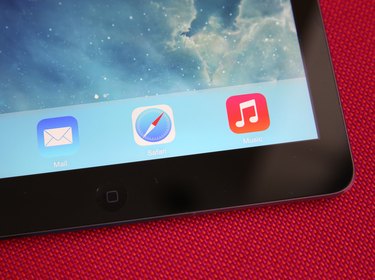
When all the apps on your iPad start jiggling, the effect might look like the icons are shaking off insects, but this is not a system bug or virus. Shaking icons indicate a special mode for rearranging and uninstalling apps. A single press of the "Home" button puts a stop to the icons' dance and returns your iPad to regular operation. This editing mode works on any iPad running iOS 7.
Moving and Deleting Apps
Video of the Day
Tap and hold any iPad app icon for a couple of seconds to start all the icons on the screen shaking. With the apps jiggling, drag app icons to reorder the home screen, drag an icon to the side of the screen to move it to another page or drag apps on top of each other to combine them into a folder. Press the "X" button on an app to delete it. You can't open apps while in this mode, so press the "Home" button on the front of the iPad to stop the shaking.
Video of the Day
Differences Between Shaking Apps
Two types of wiggling icons don't have an "X" button for deletion: app folders and apps that Apple included with the iPad. To delete apps inside a folder, open a shaking folder and tap the "X" on a particular app. To delete the folder itself, open it and drag every app out to the edge of the screen. The iPad cannot delete iOS apps, such as Messages, Mail, Safari and Clock. The best way to hide unwanted, undeletable apps is by putting them into a folder together and dragging that folder to the farthest-right page of the home screen, where you won't see it often.
Effects of Deleting Apps
Deleting an iPad app, whether you delete it directly on the iPad or erase it in iTunes and sync your iPad, also erases all the app's documents, saved games or settings. You can reinstall deleted apps through the App Store without paying for them again, but you can't recover your erased data unless you restore your entire iPad from an iTunes or iCloud backup. Apple does not provide a way to restore a single app's data from a backup. Some app developers work around this limitation by exporting individual app saved data to iCloud, Dropbox or email, but in most cases, deleting an app irreversibly deletes your files in that app.
Trouble With Shaking Apps
A broken Home button or a system glitch can cause apps to keep shaking even after you press "Home." As an alternative, press the "Sleep/Wake" button on the top of the iPad to lock it. Press the button a second time and unlock the device, and the apps should stay still. If the icons stubbornly refuse to be pacified, hold in "Sleep/Wake" for a few seconds and swipe the bar to turn the iPad off completely. After the screen shuts off, hold the button to reboot the device and fix the problem.
- Apple Support: Arrange Apps on Your iPhone
- Apple Support: How to Delete Content You've Downloaded From the iTunes Store, App Store, iBooks Store, or Mac App Store
- AT&T Wireless Support: Create and Delete Folders With iPad
- Apple Support: IOS: Back Up and Restore Your iOS Device With iCloud or iTunes
- Apple Support: Download Past Purchases