

How to Make a Raised Platform in a Media Room

A raised platform in a media room will increase the ability of the folks in the back row to see and enjoy the movie. It can make any media room more useful by increasing the number of seats available with a good view of the television screen.
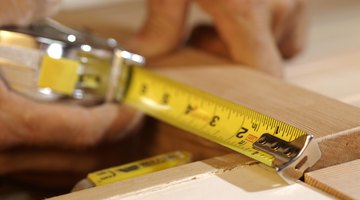
The construction of the platform requires some basic hand and power tools as well as a basic knowledge of carpentry skills. The platform can be made more ornate-- and thusly a more difficult build--with the addition of lighting, carpet and trim.
Things You Will Need
- lumber, 2-by-6 or 2-by-8
- Plywood or oriented strand board
- Circular saw
- Hammer
- Square
- Tape measure
- Carpet
- Power drill
Planning the Platform
-
Determine the size and position of the platform. Platforms are usually at the opposite end of the room from the television screen. The platform needs to be large enough to provide comfortable space for the seating chosen for the media room.
-
Determine the height of the platform. While a high platform makes it easier to see the screen over the chairs in the front row don’t plan a platform so high the spectators will bang their heads on the ceiling. Most ceilings are 8 feet high. A 1- foot-high platform reduces the headroom of the space to 7 feet. The size of the supporting members will be determined by the height of the platform. A 2-by-6-inch support (actually 5 1/2 inches high) covered with three-quarter inch plywood will create a platform 6 1/4 inches high. Platforms higher than 8 inches can be built as two independent boxes stacked on top of each other. The top box is built smaller to provide an interim step to the top of the platform.
-
Draw a plan and determine the necessary materials. Plan for 16-inch, on-center supports for the platform. The platform should be covered with three-quarter or 1 inch plywood under the carpet or other floor covering.
Building the Platform
-
Cut all the support pieces to size. The platform will actually be a simple box that will set on the floor. Layout the perimeter of the platform and fasten together. Use 16 box nails or 2 1/2 inch deck screws. Fasten additional supports 16 inches on center within the box.
-
Cover the framework of the platform with plywood or oriented strand board. Fasten the plywood in place using 2-inch deck screws. Keep the seams between the pieces as tight as possible.
-
Install carpet over the platform. The carpet can be wrapped around the front of the platform to cover the riser of the step. Additional lights, similar to the lights found along the floors of theaters, can be added to increase the theater theme.
The Drip Cap
- A raised platform in a media room will increase the ability of the folks in the back row to see and enjoy the movie.
- Determine the height of the platform.
- Most ceilings are 8 feet high.
- Fasten the plywood in place using 2-inch deck screws.
- Install carpet over the platform.
- The carpet can be wrapped around the front of the platform to cover the riser of the step.
References
Writer Bio
Keith Allen, a 1979 graduate of Valley City State College, has worked at a variety of jobs including computer operator, medical clinic manager, radio talk show host and potato sorter. For over five years he has worked as a newspaper reporter and historic researcher. His works have appeared in regional newspapers in North Dakota and in "North Dakota Horizons" and "Cowboys and Indians" magazines.
Photo Credits
- Thinkstock/Comstock/Getty Images
- Thinkstock/Comstock/Getty Images
More Articles

