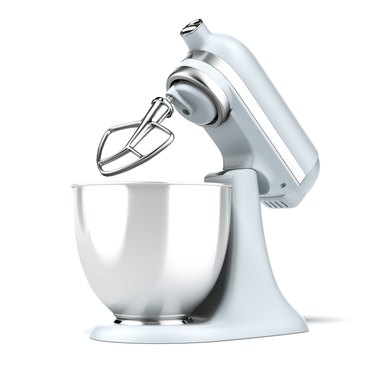
A Kitchenaid mixer can handle tough jobs, such as making cheeseballs and pasta, but in doing so, it generates heat. Excessive heat can make the top of the mixer uncomfortably warm, and it can damage the motor. To prevent damage, the mixer has a high-limit fuse that shuts off the motor when the temperature is too high and automatically resets when the mixer cools. If you can't turn on your mixer, you may simply have to wait for it to reset. If it's already cool, check the plug and the breaker controlling the circuit the plug is on. When you can't isolate the problem to something simple, the mixer probably needs servicing.
High Heat Shut-Off
Video of the Day
The Use and Care Guide for the Kitchenaid mixer advises that the appliance will stop working for a short time when it overheats. This could happen when you're mixing a highly viscous combination of ingredients, such as bread dough, ground meat or heavy cookie dough at a high speed. The manual recommends turning off the mixer, waiting 10 or 15 seconds, and turning it back on. If the mixer still won't run, wait for 30 minutes before trying again. The unit doesn't have a reset button, so if it still doesn't operate after a 30-minute wait, you'll have to look elsewhere for the problem.
Video of the Day
Check the Power
Your mixer is probably plugged into a GFCI outlet, and it's common for one of these to trip when an appliance overheats. GFCIs have two buttons arranged vertically. Press the top button to test the outlet. If the outlet is working, it will trip when you press this button, and you'll hear a click. Press the bottom button to restore power. If you hear no click when you press the test button, the outlet has tripped. Press the bottom button to reset it.
When a GFCI has tripped, you should hear a click when you press the reset button. If you don't, it means there's no power in the circuit, and the breaker in the main panel that controls the circuit may have tripped. Locate that breaker and reset it. After resetting the breaker, the GFCI should reset, but it won't if another GFCI on the same circuit has tripped. Locating this tripped outlet may take some detective work, because it could be in the bathroom, in the basement or even outside.
Servicing Your Kitchenaid Mixer
After verifying you have power and waiting for the mixer to cool, you don't have many options other than disassembling the mixer to find the problem. You can do this with the help of the service manual for your model, but be aware that doing so will void the one-year limited warranty.
If your mixer is under warranty, you should send it to an approved service center. To contact a Kitchenaid service center, call 1-800-541-6390 if you live in the U.S. or Puerto Rico. Canadian residents should dial 1-800-807-6777, and customers in Mexico should call 01-800-024-17-17. The agent on the phone will tell you where you can ship your Kitchenaid mixer for repair.
You can also schedule service online.