

How to Test a Light Sensor

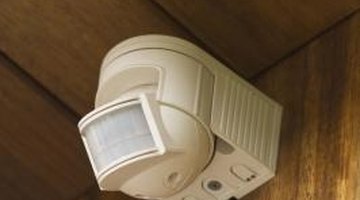
Light sensors are used to detect motion in the vicinity. One of the most important parts of the installation process is testing the sensor. You need to be sure the light turns on and off during the appropriate times. You don't want it so sensitive as to come on each time insects or birds fly in front of it. However, it should not remain off if a person approaches your home.
-
Look on the bottom of the light sensor to find its slide switch and sensory adjustment dial. Set the dial to medium and place the switch into the test position.
-
Flip on the wall switch to send power to the light sensor. The lights should come on for approximately 30 seconds and go off if no motion is detected by the sensor.
-
Position the sensor to face the direction you want motion detected. This will often be the path someone may take to approach your home.
-
Walk across the detection zone where you desire the light sensor's response. Adjust the sensory dial as needed to achieve the desired coverage. Turn the dial to high if you wish the sensor to detect longer distances or low if you want it to detect shorter distances.
-
Slide the test switch to regular mode once you have achieved the distance you desire the light sensor to detect.
References
Writer Bio
Tina Reichmann has been a freelance writer since 2009 when she began an internship with the "Amarillo Globe News." She has her Bachelor of Science in kinesiology from the University of North Texas and her Master of Science in kinesiology from West Texas A&M University.
Photo Credits
- Jupiterimages/Comstock/Getty Images
More Articles

