
Baseball History in the 1950s
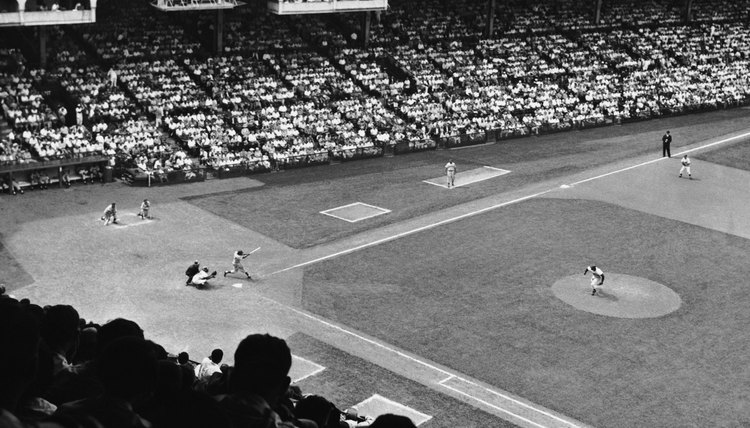
Off the field, baseball went through a tumultuous decade in the 1950s. Per-game major league attendance dropped by about 2,600 fans from 1950 through 1959. Minor league attendance fell by more than half, and Congress investigated several aspects of the game, even threatening the reserve clause that bound players to teams. On the field, however, some of baseball’s greatest stars began or continued their careers as the game continued to integrate African-American players.
Team Success
The Dodgers were the National League’s most successful team from 1950 through 1959, winning five pennants and World Series titles in 1955 and 1959. The Giants and Braves earned two pennants and one World Series title apiece. In the American League, the New York Yankees continued the dominance that began in the Babe Ruth era in the '20s. Cleveland won in 1954, and the Chicago White Sox in 1959. The Yanks won all the rest. The Yanks earned World Series titles in 1950 through 1953, then again in 1956 and 1958.
Star Hitters
Future Hall of Famers such as outfielders Hank Aaron, Mickey Mantle and Willie Mays began their careers in the 1950s. The decade was particularly rewarding for catchers, as the Dodgers’ Roy Campanella and the Yankees’ Yogi Berra each won three league Most Valuable Player Awards. Among the individual highlights were Mantle’s triple crown season in 1956, during which he led the American League with 52 home runs, 130 RBIs and a .353 batting average. Ralph Kiner led the National League in homers three times, but Mays hit the league’s decade-best 51 in 1955.
Star Turns
Mays also made the most memorable defensive play of the 1950s. He tracked down a fly ball in deep center field in the 1954 World Series with his back to the plate, then turned 180 degrees to throw the ball back to the infield. Two years later, Don Larsen of the Yankees posted the most memorable moment on the mound. He became the first pitcher to throw a perfect game in the World Series.
Pitching Aces
The Cy Young award was initially granted in 1956 to the major league’s best pitcher -- separate American and National League awards began in 1967. Don Newcombe of the Dodgers was the first recipient. He had a 27-7 record, a 3.06 earned run average, and also earned the league’s Most Valuable Player award. In 1950, Jim Konstanty of the Phillies became the first relief pitcher to win the MVP trophy after sporting a 16-7 record, 2.66 ERA and 22 saves. Robin Roberts, also of the Phillies, had the best single-season victory total of the decade, winning 28 games in 1952.
Integration Continues
Jackie Robinson became the first African-American to play major league baseball in 1947. The game integrated slowly early in the 1950s, as just six of the 16 teams included an African-American player in 1953. It wasn’t until 1959, when the Red Sox used Elijah “Pumpsie” Green as a pinch runner, that all major league teams became integrated. Nevertheless, some teams limited the number of African-American players on their roster based on a fear of alienating white fans.
Going West
From 1903 through 1952, no major league franchise changed cities. That stability ended in 1953, when the Boston Braves moved to Milwaukee. The St. Louis Browns moved to Baltimore and became the Orioles in 1954, while the Athletics moved from Philadelphia to Kansas City in 1955, becoming the first major league team west of the Mississippi River. But the decade’s biggest moves came in 1957, when the Dodgers and Giants traveled from New York to Los Angeles and San Francisco, respectively, leaving New York with only the Yankees.
References
- Baseball: A History of America’s Game; Benjamin G. Rader
- ESPN: MLB World Series Winners
- Baseball Reference.com: Most Valuable Player MVP Awards & Cy Young Awards Winners
- Baseball Reference.com: Triple Crown Winners
- Baseball Almanac: Year by Year Leaders for Home Runs
- MLB.com: BB Moments: Willie Mays’ Catch
- Baseball Reference.com: Yearly League Leaders & Records for Wins
- ESPN: No Honor in Red Sox Anniversary
- The Cambridge Companion to Baseball; Leonard Cassuto and Stephen Partridge
Resources
Writer Bio
M.L. Rose has worked as a print and online journalist for more than 20 years. He has contributed to a variety of national and local publications, specializing in sports writing. Rose holds a B.A. in communications.